Apple Calendar and Reminders
Sync your TellDone events and tasks directly with Apple's built-in apps on your iOS device.
Apple Calendar
Events extracted from your voice notes automatically appear in Apple Calendar.
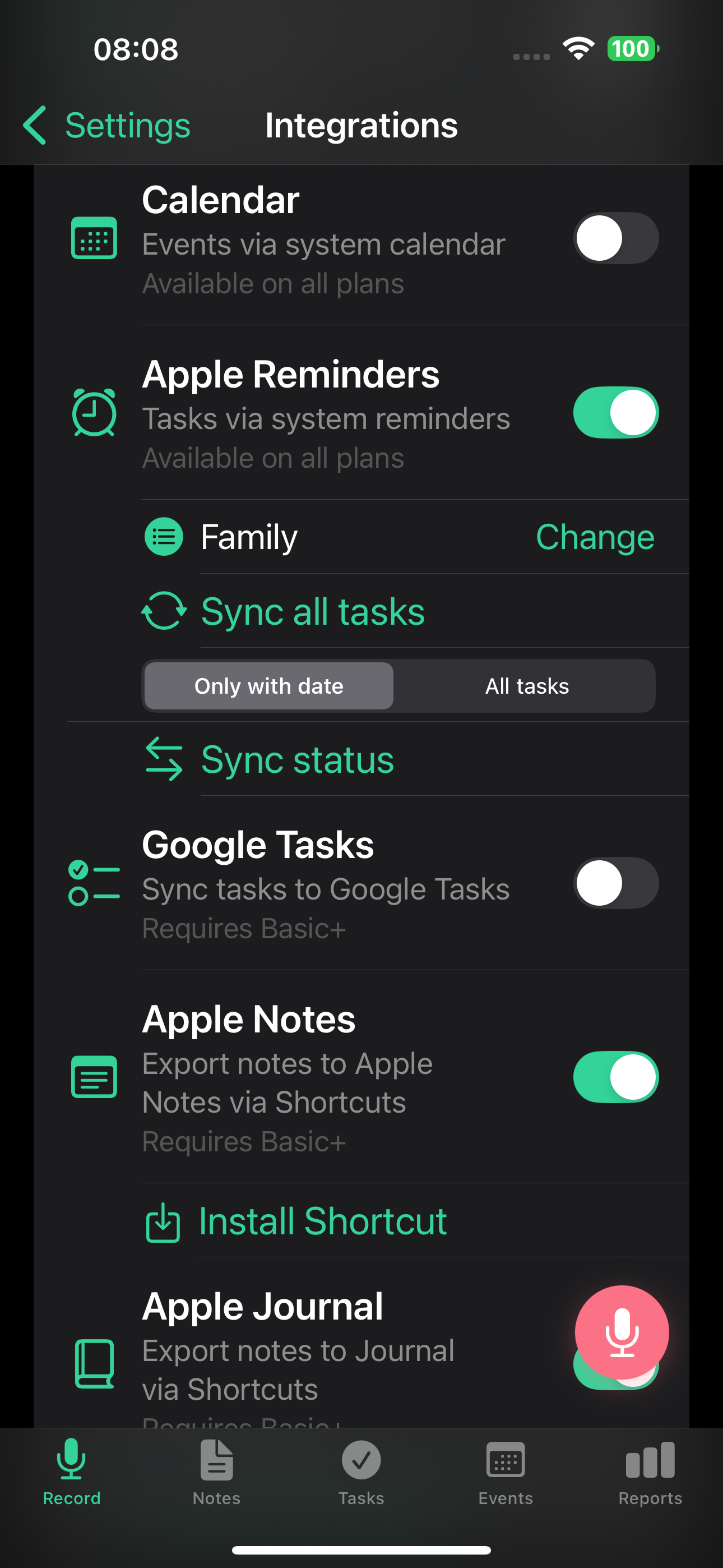
Setup
- Go to Settings > Integrations
- Toggle on Apple Calendar
- Grant calendar permission when prompted
- Events from future recordings sync automatically
How it works
- New events from your recordings appear in Apple Calendar
- Changes sync between TellDone and Calendar
- Multiple reminders per event sync to Calendar when the integration is on
- This is a local integration - data stays on your device
Choose a calendar
By default, TellDone creates events in your default Apple Calendar. You can pick a different calendar:
- Go to Settings > Integrations > Calendar
- Select the calendar you want TellDone to use
The list shows every calendar your iPhone knows about. If you have already connected a Google, Outlook, or Exchange account to the iOS Calendar app, those calendars appear here too and TellDone can write to them. TellDone talks to your device's calendar, not to those services directly, so there is nothing extra to connect on the TellDone side.
Manual sync
Use the Sync button in Settings > Integrations > Calendar to force-sync all TellDone events to Apple Calendar at once.
Apple Reminders
Tasks from TellDone sync with Apple Reminders.
Setup
- Go to Settings > Integrations
- Toggle on Apple Reminders
- Grant reminders permission when prompted
- Tasks from future recordings sync automatically
List selection
Choose which Reminders list TellDone exports tasks to in Settings > Integrations > Reminders.
Sync modes
Two modes are available in Settings > Integrations > Reminders:
- Dated tasks only - only tasks that have a deadline are sent to Reminders
- All tasks - every task is sent to Reminders, with or without a deadline
Tasks with multiple reminders (added in iOS 1.3) always fire every reminder as a TellDone push notification. When this integration is on, only the first reminder time is mirrored to the matching Apple Reminders item as an alarm. The remaining reminders still fire from TellDone.
Two-way task status sync
Reminders has full two-way sync - task completions flow in both directions:
- TellDone to Reminders - complete a task in TellDone, and it's marked done in Reminders
- Reminders to TellDone - complete a task in Reminders, and TellDone picks it up automatically
How sync works:
- On app open - if auto-sync is enabled in Settings, TellDone syncs with Reminders every time you open the app (or switch back to it), with a minimum interval of 30 minutes between syncs
- In the background - iOS periodically wakes TellDone (approximately every 4 hours) to run a background sync
- On task toggle - every time you complete or reopen a task in TellDone, a full sync with Reminders runs immediately
- Manual sync - tap Sync in Settings > Integrations > Reminders at any time
The sync uses "completed-wins" logic - once a task is marked done in either app, it stays done.
You can enable or disable automatic sync in Settings > Integrations > Auto-sync.
For the most accurate daily reports, open TellDone in the evening before your report generates at midnight. This triggers a sync so completed Reminders tasks show up in the report.
Apple Calendar and Apple Reminders are local integrations available on iOS only. They work directly on your device, don't require a paid plan, and don't count against your integration slots.
Troubleshooting
If events or tasks aren't syncing:
- Check that you've granted TellDone permission in your iPhone's Settings > TellDone
- Make sure the integration is toggled on in TellDone Settings > Integrations
- Try toggling the integration off and on again
You can use Apple Calendar sync alongside server integrations like Todoist. Local and server integrations work independently.