Daily reports
Daily reports are available on the Basic, Pro, and Ultra plans. Free users do not get reports. See Plans and pricing.
TellDone generates an AI-powered summary of your day, every day at midnight in your timezone, after the day closes.
What's in a daily report
Key metrics
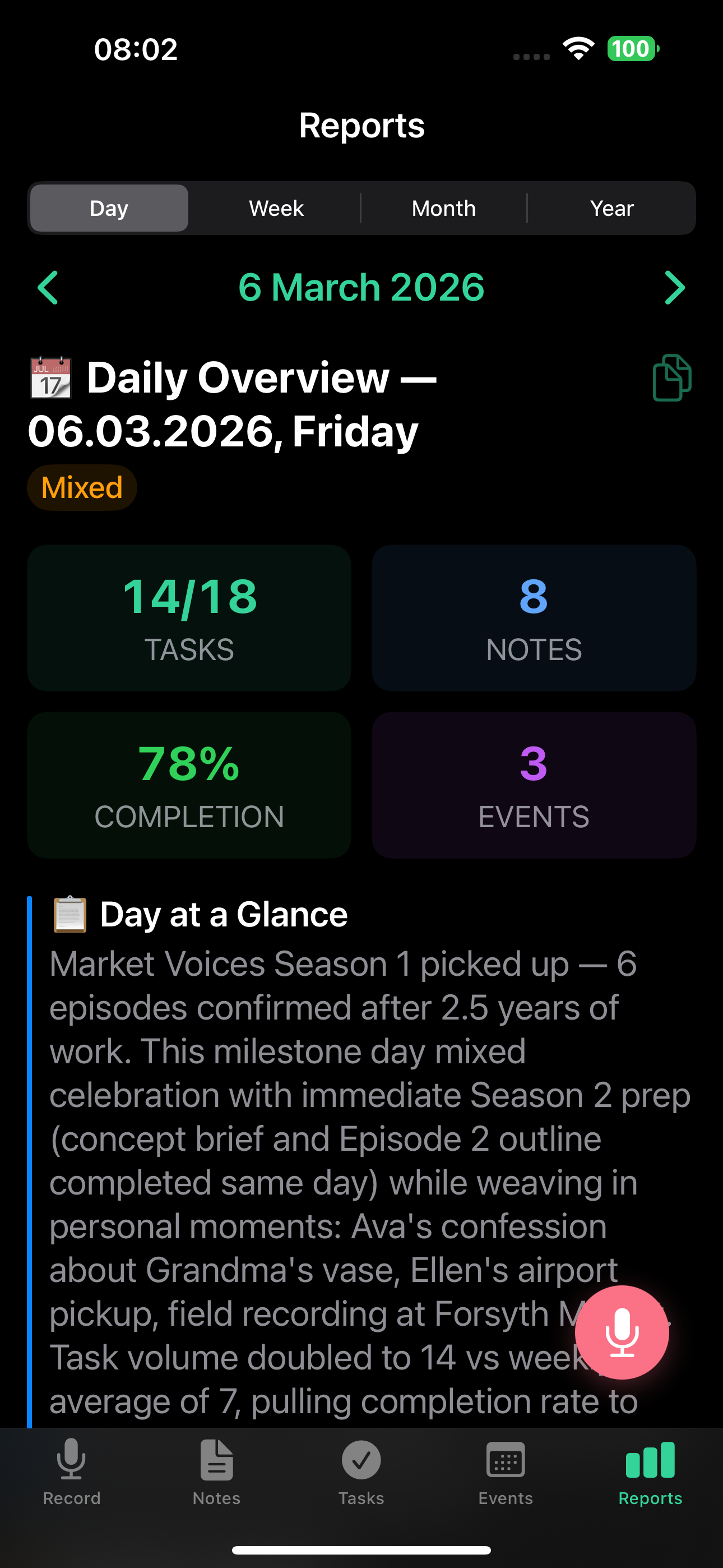
At the top of every daily report you'll see:
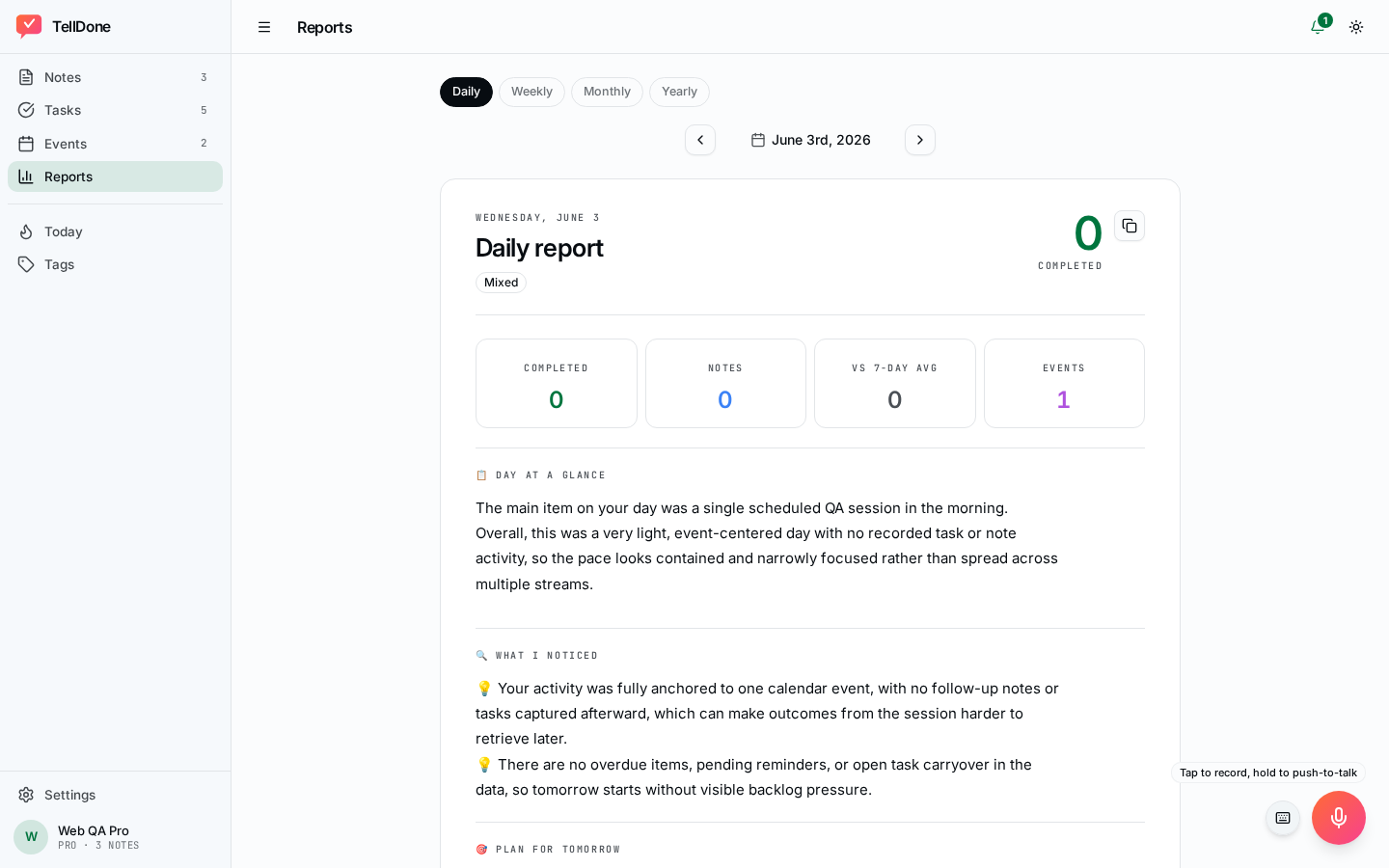
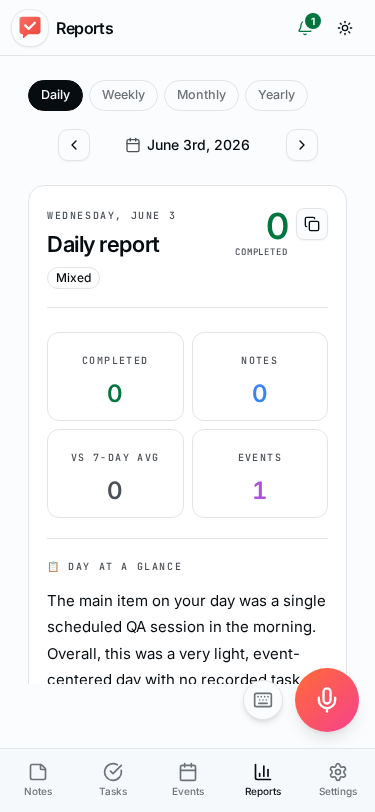
On the web app, the daily report opens in the same workspace layout:
- Notes created today
- Tasks completed vs. total
- Events for the day
- Focus score - how focused your day was
- Day type - AI classification:
- Deep work - more than 60% of your tasks fall under one theme, with few context switches
- Meetings - 2 or more events on the calendar, or meeting-type notes make up at least 30% of the day
- Admin - administrative work (banking, documents, legal) makes up more than 40% of activity
- Planning - more than half your notes are tasks or ideas with a low completion rate
- Firefighting - 3 or more overdue tasks, or more than half your active tasks are marked urgent
- Mixed - no single category dominates the day
AI narrative sections
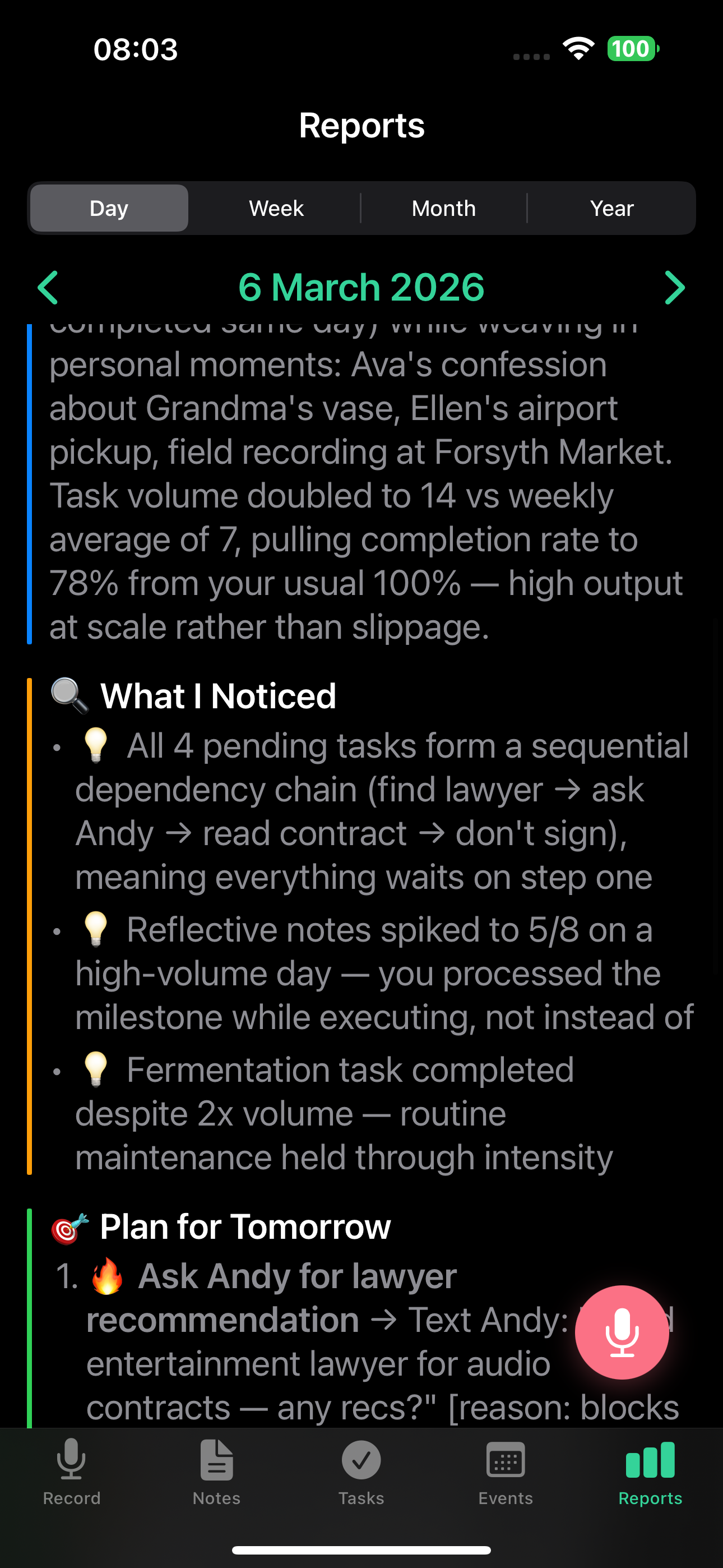
- Day at a glance - brief summary of what you did
- What I noticed - AI observations about your patterns and habits
- Plan for tomorrow - exactly three concrete actions, picked in priority order: overdue tasks first, then high-priority items, then upcoming reminders, then anything that has been sitting stale
- Question of the day - a reflective question to help you grow
Task lists, events, tags, and Smart Context
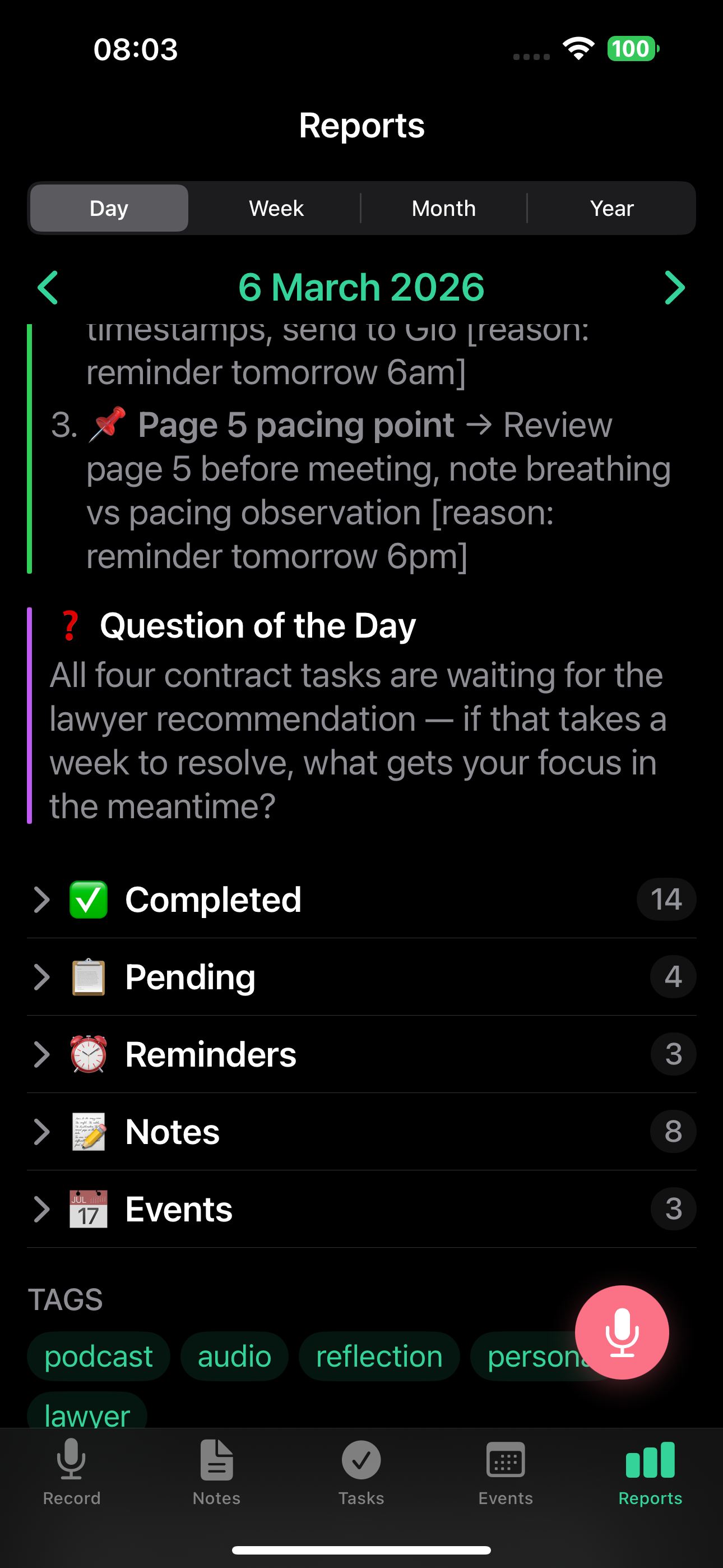
- Completed today - tasks you finished
- Pending tasks - what's still open and needs attention
- Created today - tasks you captured during the day
- Events - what happened on your calendar
- Tag trends - your most active tags for the day
- Smart Context highlights - auto-completed tasks and achievements detected during the day
- Work intensity heatmap - hour-by-hour view of when you were active
Viewing daily reports on the web app and iPhone
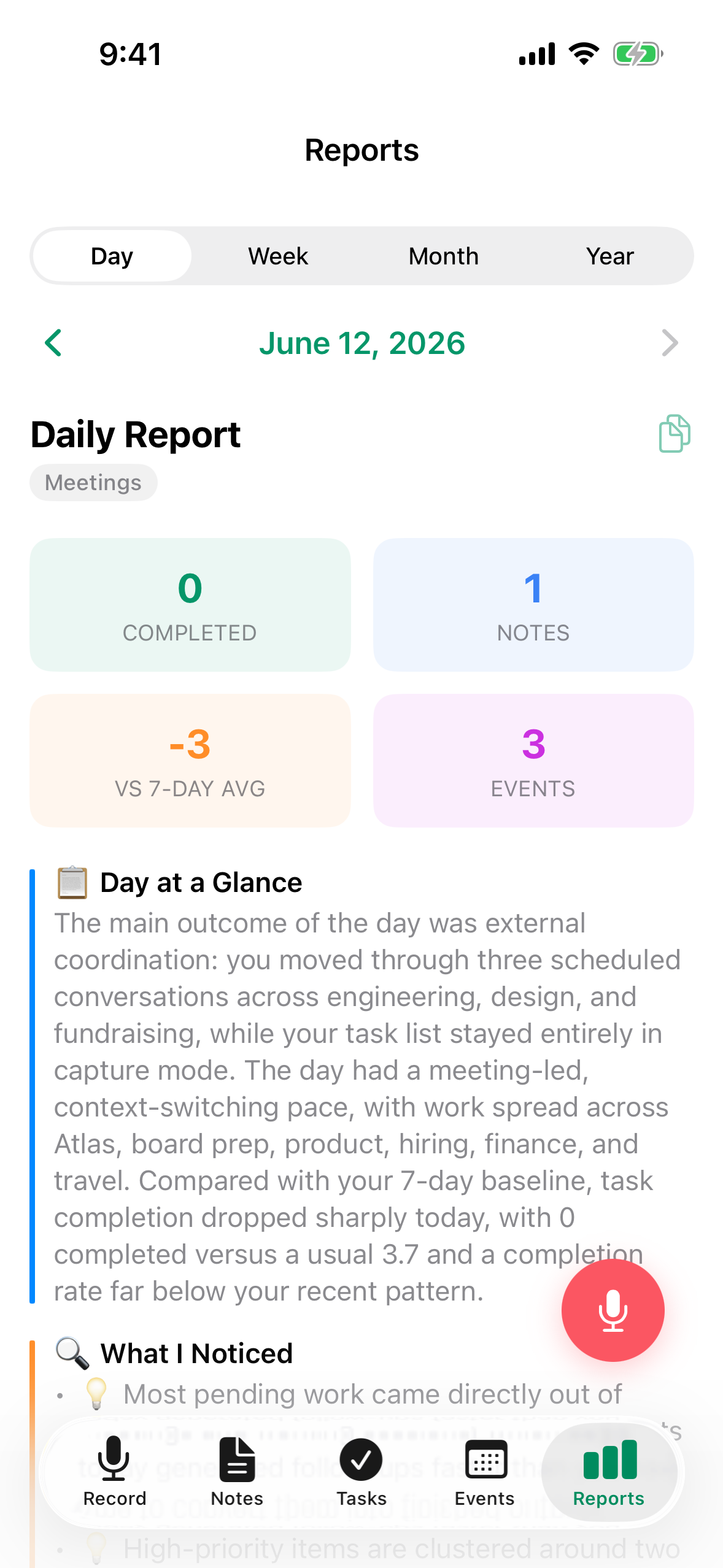
Daily reports use the new V2 structured rendering on both app.telldone.app and the iOS app:
- Metric tiles - a 2x2 grid at the top: tasks completed, notes count, completion rate compared to your 7-day average, and a dynamic fourth tile (events count, or overdue count in red, or focus score when neither applies). The day type (Deep work, Mixed, etc.) appears as a badge in the header.
- Narrative sections flow underneath, with the AI's observations and plan for tomorrow.
- Collapsible blocks let you expand or collapse linked notes, tasks, and events.
- Period navigator - use the previous and next buttons to jump between completed days, or open the smart period picker (a date picker) to jump straight to any day.
- The copy button (clipboard icon) copies the entire report to your clipboard, ready to paste into a doc, an email, or another app.
- Auto-refresh - if a new daily report is generated while you have the screen open, it refreshes automatically over a WebSocket connection.
- "Up next" placeholder - if you open a day that has no report yet (for example, today), you see an "Up next" placeholder. The report appears as soon as the day closes.
To view daily reports:
- Go to the Reports tab
- Select Daily
- Use the navigator buttons or the date picker to move between days
- Tap any section to expand details
Report language
Reports are generated in your content language (the language you speak), not your UI language. The whole report comes out in your content language: the summaries, narratives, and extracted task names, plus the section labels and the report header. Only the email subject line follows your app language.
You can change this in Settings > Transcription language on iOS, or in Settings > Voice & Language on the web app.
Inactivity suppression and quiet days
TellDone avoids generating empty reports during inactive stretches:
- 7-30 days inactive - daily reports are skipped. Weekly and monthly reports still generate so longer-term context is preserved.
- More than 30 days inactive - all reports (daily, weekly, monthly) are skipped until you record again.
Reports resume automatically the next time you record a voice note.
When you have a single quiet day in an otherwise active stretch (and a regular report is not skipped), TellDone still produces a lightweight placeholder for the day so your report timeline stays continuous. Placeholders include pending tasks and upcoming reminders, and the wording adapts to context: "Quiet day" for a one or two day gap, "Day N without notes" for slightly longer stretches, and a "Day off - well-deserved rest" message on weekends.
Email delivery
Get daily reports in your inbox:
- Go to Settings > Email
- Toggle on daily report delivery
- Reports are sent to your account email
Email subject format: "John, Daily report . March 3 -- 19/26 tasks"
Notes-only day (no tasks): "John, Daily report . March 3 -- 9 notes, 2 events"
Reports are generated in your content language, not your interface language. If you speak Russian but use the English interface, your report bodies will be in Russian.
Daily reports look great on mobile too. You can review your day's summary on the go from the mobile web app.
See also
- Weekly reports - aggregated insights for the week
- Monthly reports - in-depth monthly analysis
- Email reports - get reports delivered to your inbox
- Smart Context - auto-completed tasks in daily reports
- Tasks - tasks that make up the daily report