Tasks
TellDone automatically extracts tasks from your voice notes. Up to 5 tasks per recording, each with a title, priority, and optional deadline. Once a task exists, you can edit any field directly on the task detail screen.
Task list
The Tasks tab shows all your extracted tasks.
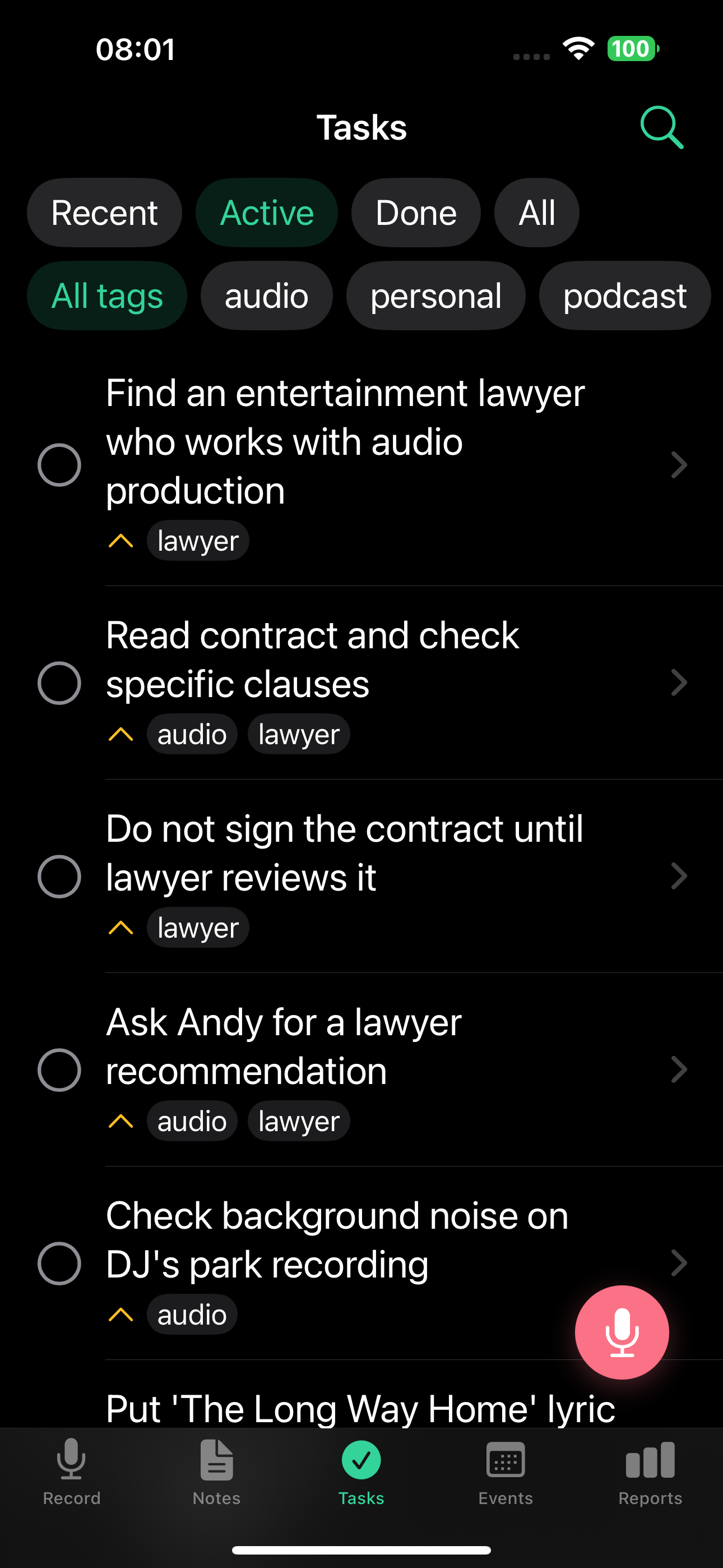
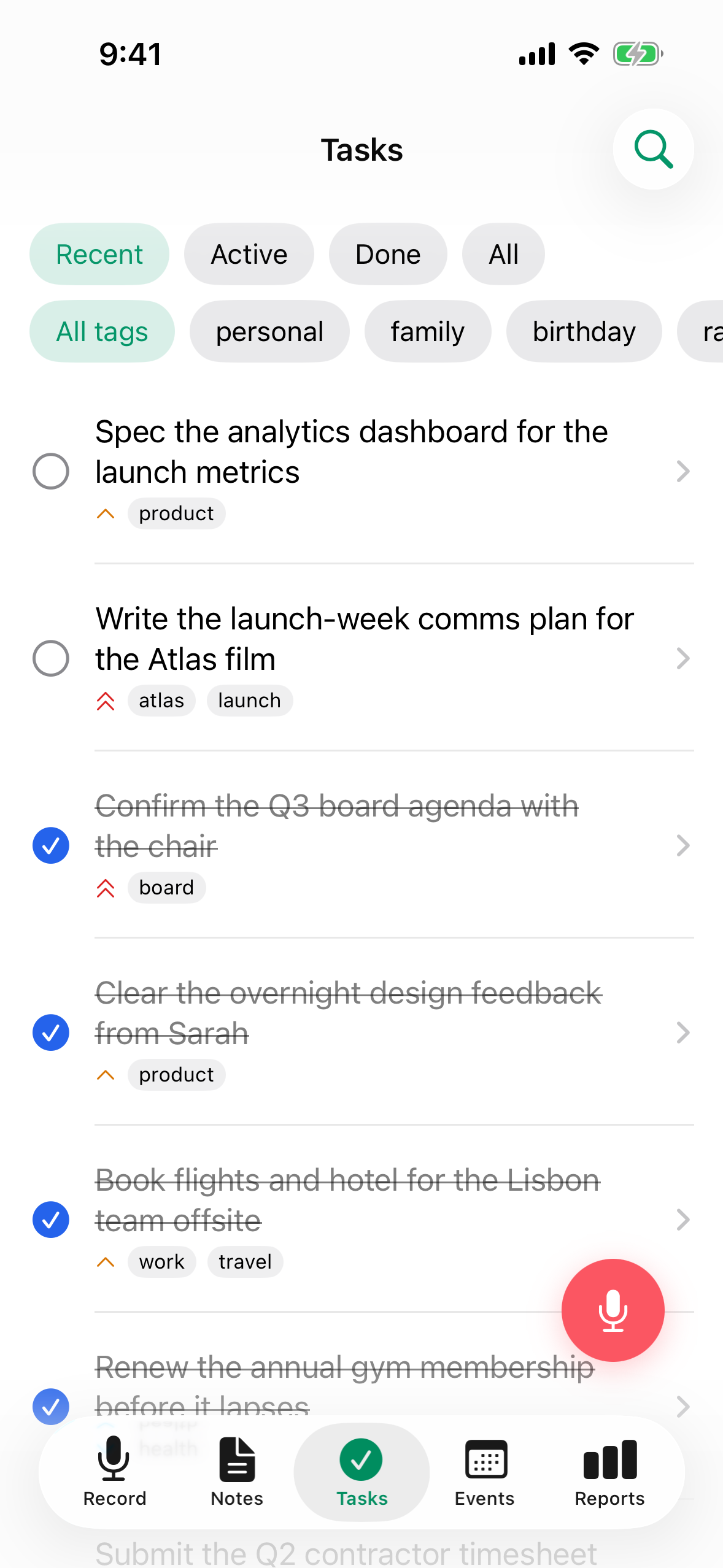
- Filter: All / Active / Done / Recent
- Each task displays its title, priority icon, tags, and a checkbox
- Tap a task to see full details
The Recent filter shows tasks from the last 7 days, making it easy to review what you've been working on.
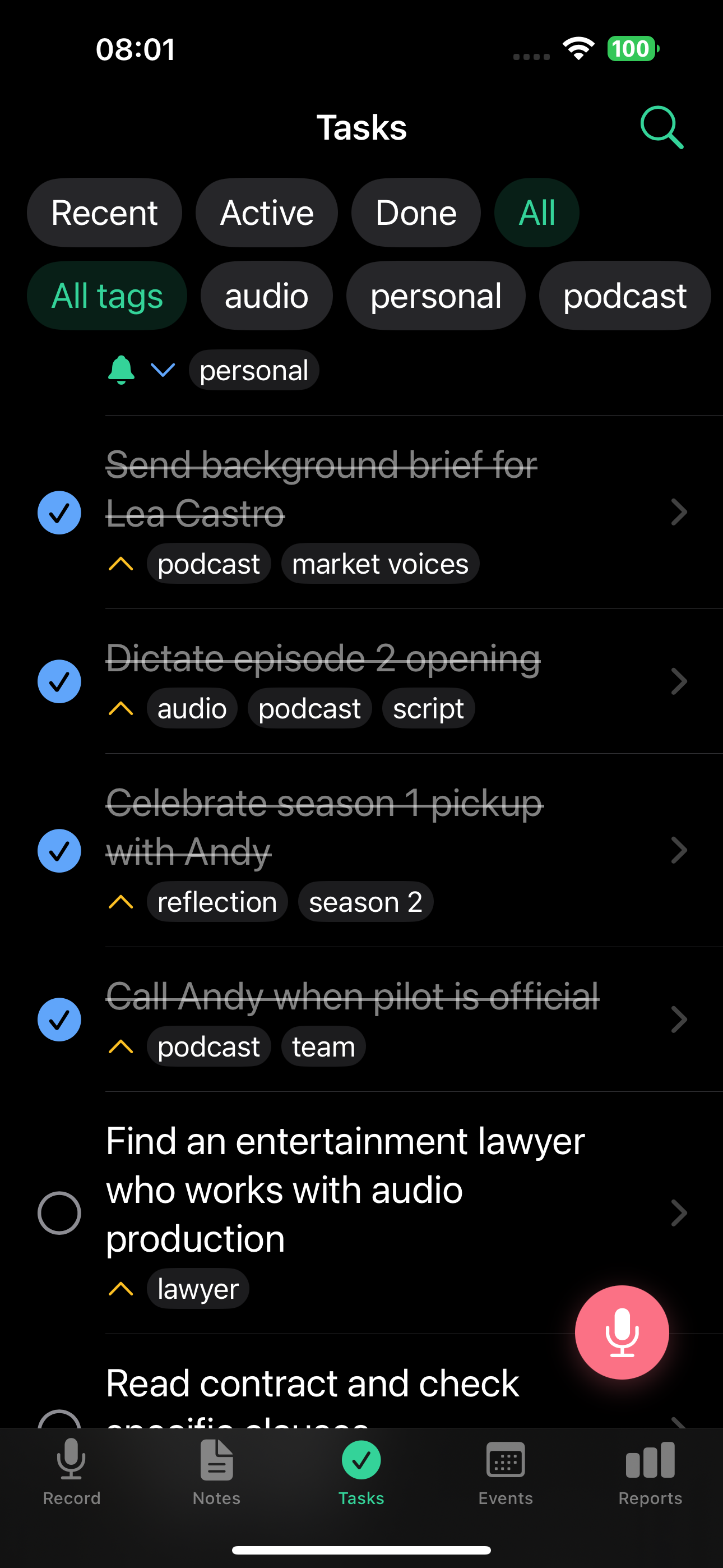
Task detail
On the web app, the task detail opens in a split view with all reminders and recurrence options inline:
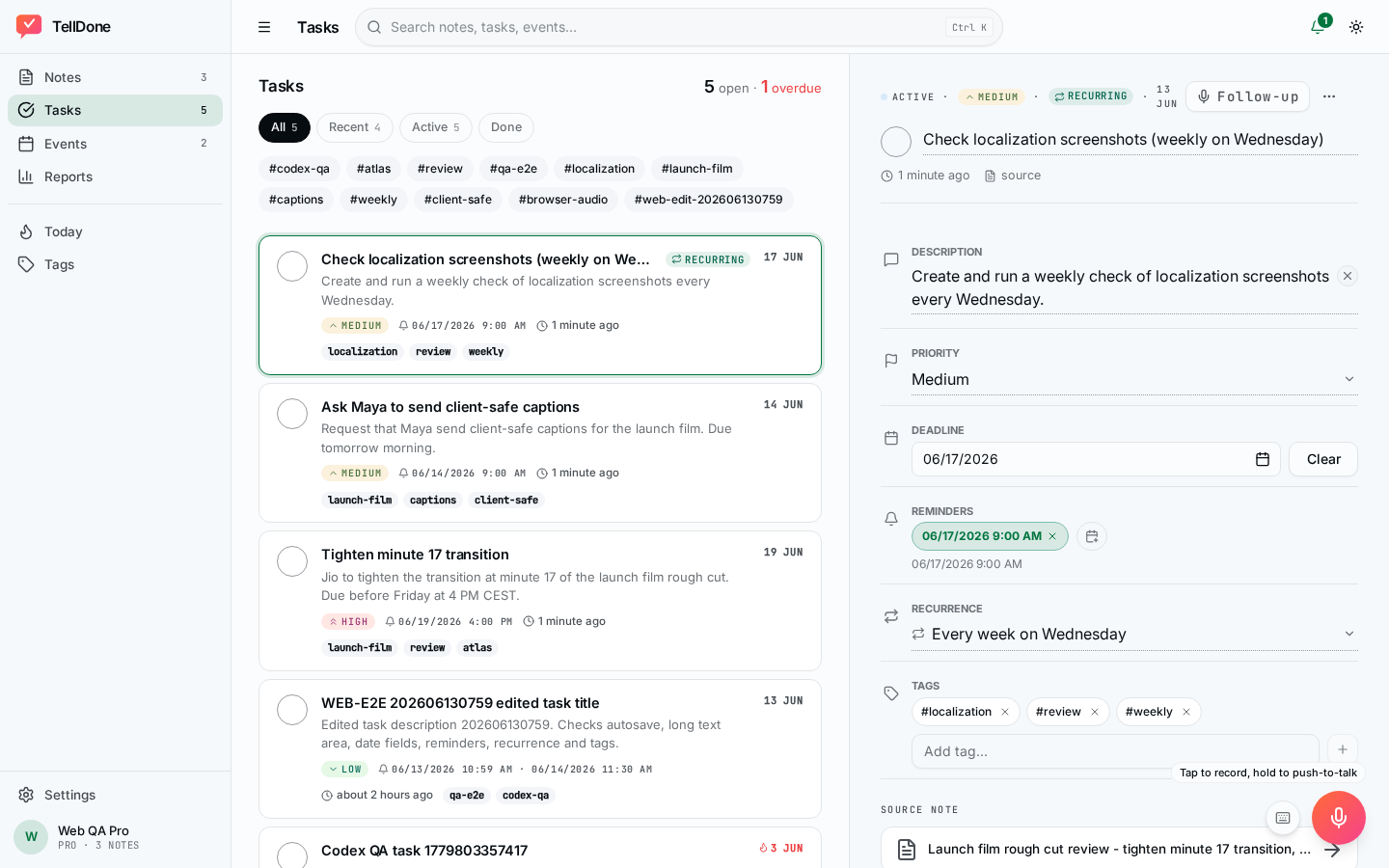
Each task includes:
- Title and description - editable inline
- Status - todo or done
- Priority - high, medium, or low
- Deadline - optional date
- Reminders - one or more date-and-time push notifications (see Multiple reminders per task)
- Recurrence - optional repeat schedule (see Recurring tasks)
- Tags - inherited from the source note, fully editable
- Link to source note - see the original recording
- Audio excerpt - hear the part where the task was mentioned
Editing on the detail screen
Every field on the task detail screen is editable inline. There is no separate edit form and no pencil icons - the whole row is the tap target.
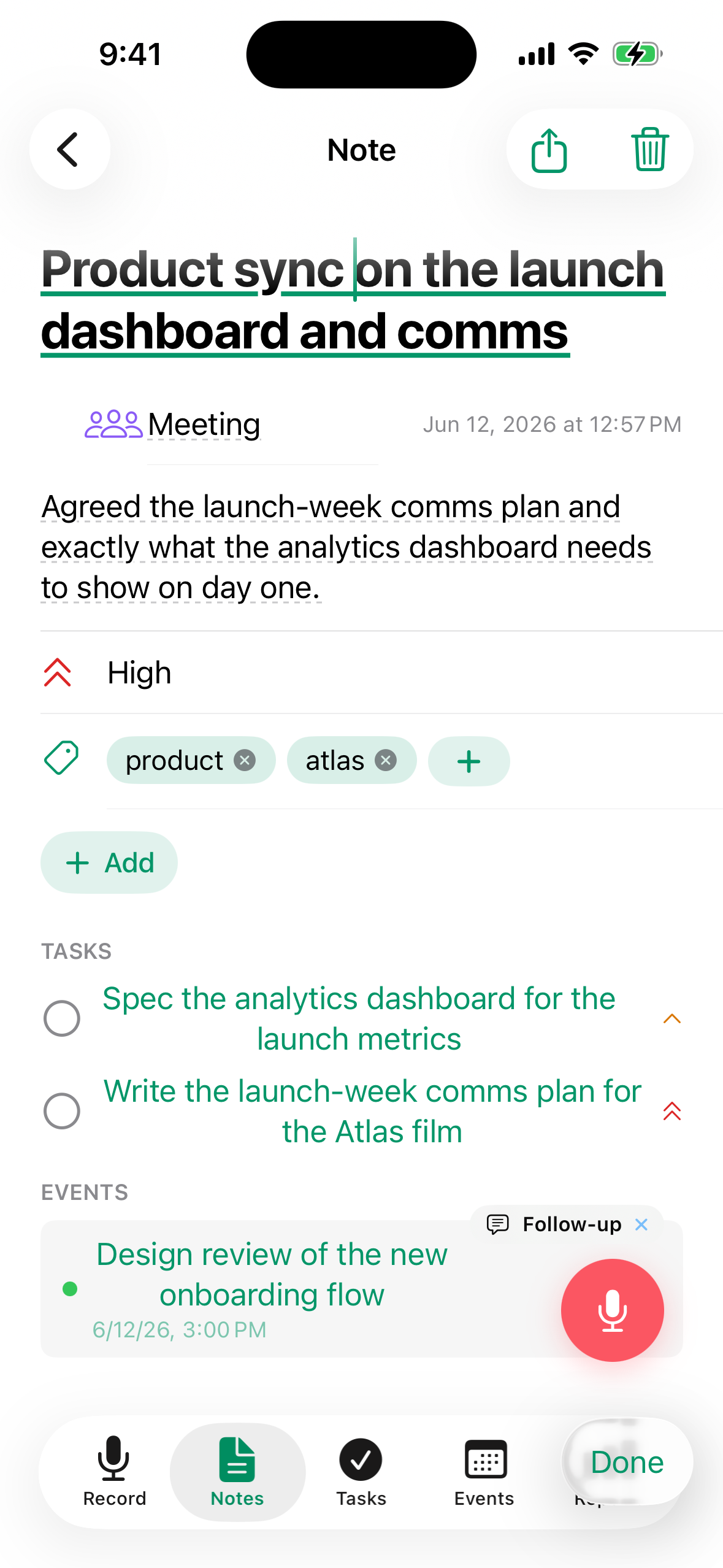
- Tap any field on the detail screen to edit it. Changes save automatically as soon as you tap outside the field or tap Done. If you change something by mistake, tap Undo on the snackbar that appears at the bottom to revert that edit.
- Date and time pickers use the system date picker (large detent, with an inline "Clear" button). Time shows without seconds.
- Tags use autocomplete from your existing tags, plus a "+ check" button to commit a new one.
- Optional fields you have not set are collapsed. Use the Add field menu to reveal them - it only lists hidden fields.
- The title is always visible.
How saving works:
- iOS: changes apply right away when you commit a field or dismiss the editor.
- Web: edits are batched. Use Save to apply them or Cancel to discard. Save is disabled until something changes.
Inline edits are great for small tweaks. For multi-step updates, record a follow-up on the task and the AI applies the changes for you.
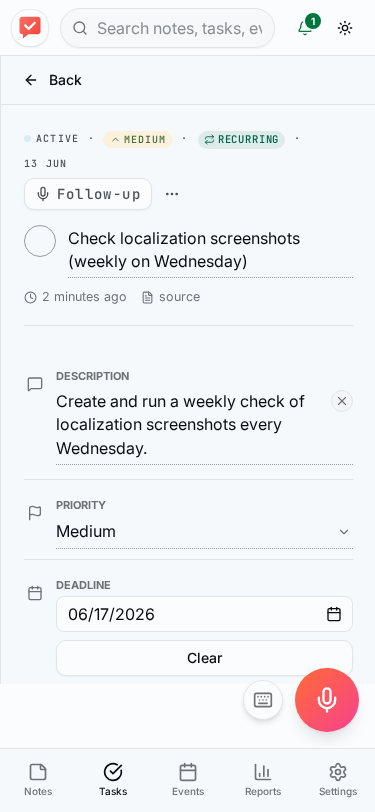
You can review and edit task reminders from the mobile web app without opening the iPhone app.
Managing tasks
- Complete a task: Tap the checkbox to mark it done
- Reopen a task: Tap the checkbox again to mark it active
- Delete a task: Swipe or use the delete option from the detail screen
- Sync with integrations: Tasks automatically sync with connected services (Todoist, Apple Reminders, Things 3)
Update tasks by voice (follow-up)
Open any task and tap Follow-up to record an update. The AI understands the task context and can:
- Complete the task - say "I finished this" or "this is done"
- Change the deadline - say "push this to next Friday"
- Change the priority - say "actually this is high priority"
- Set a reminder - say "remind me about this tomorrow morning"
All changes happen automatically from your voice. See Follow-up recordings for the full list of actions, including updating tasks from a note follow-up.
Done tasks from voice
When you dictate something in past tense - like "signed the contract" or "sent the report" - TellDone creates the task as already completed. This is useful for tracking what you've done without having to manually check off items.
Use past tense to log completed work: "finished the presentation", "called the client." TellDone marks these tasks as done automatically.
Recurring tasks
TellDone supports habit-style recurring tasks. Say "remind me to stretch every morning" or "check in with the team every Monday" and TellDone creates a single task with a built-in recurrence schedule. You can also set or change the schedule manually from the task detail screen using the recurrence picker.
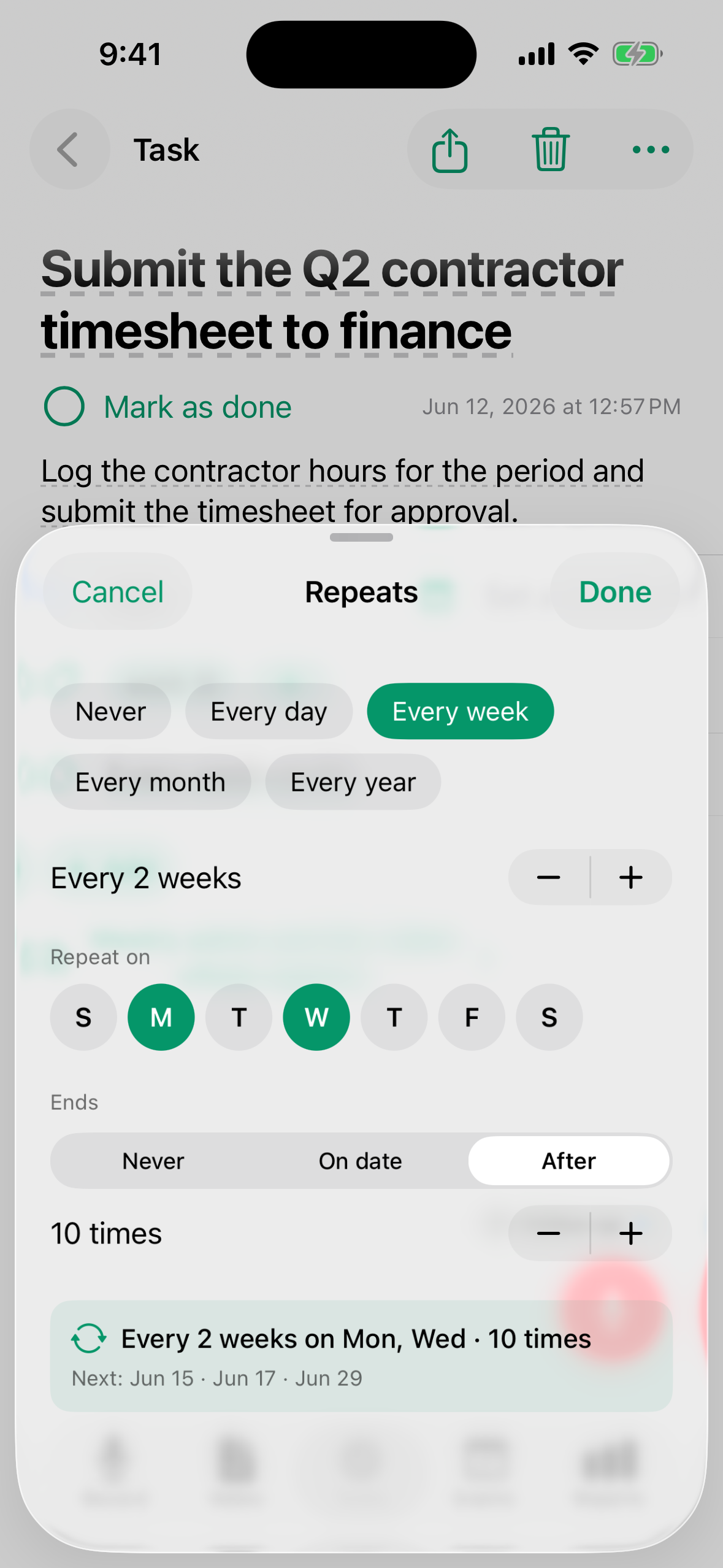
- When you complete a recurring task, the reminder advances to the next occurrence automatically. The task stays in your list - it is not archived.
- A recurring badge (circular arrows) appears on the task row so you can tell recurring tasks at a glance.
- When you have already completed the task for the current period, the row shows "Done this period - next: [date]" in a subdued style.
- The shortest repeat interval is hourly. If you dictate something more frequent, like "every 5 minutes," TellDone rounds it up to hourly and lets you know with a note in your Activity inbox.
To stop a recurring task, open the task and use the overflow menu:
- Stop recurring - removes the recurrence schedule; the task becomes a one-off item. Any reminder times you already set on the task stay on it and still fire on their scheduled dates.
- Archive - hides the task and stops all future reminders.
Task reminders
You can set a date-and-time reminder on any task. Mention it in your recording ("remind me at 5pm") or open the task and pick a reminder time on the detail screen. You'll get a push notification at the scheduled time on your iOS device.
Multiple reminders per task
Starting with TellDone 1.3 you can layer several reminders on a single task by mentioning them together in your recording ("remind me at 5pm and again at 8pm"). Each reminder appears as a chip on the detail screen. Every reminder fires as a TellDone push notification. If the Apple Reminders integration is on, only the first reminder time is mirrored to Apple Reminders as an alarm - the rest still fire from TellDone.
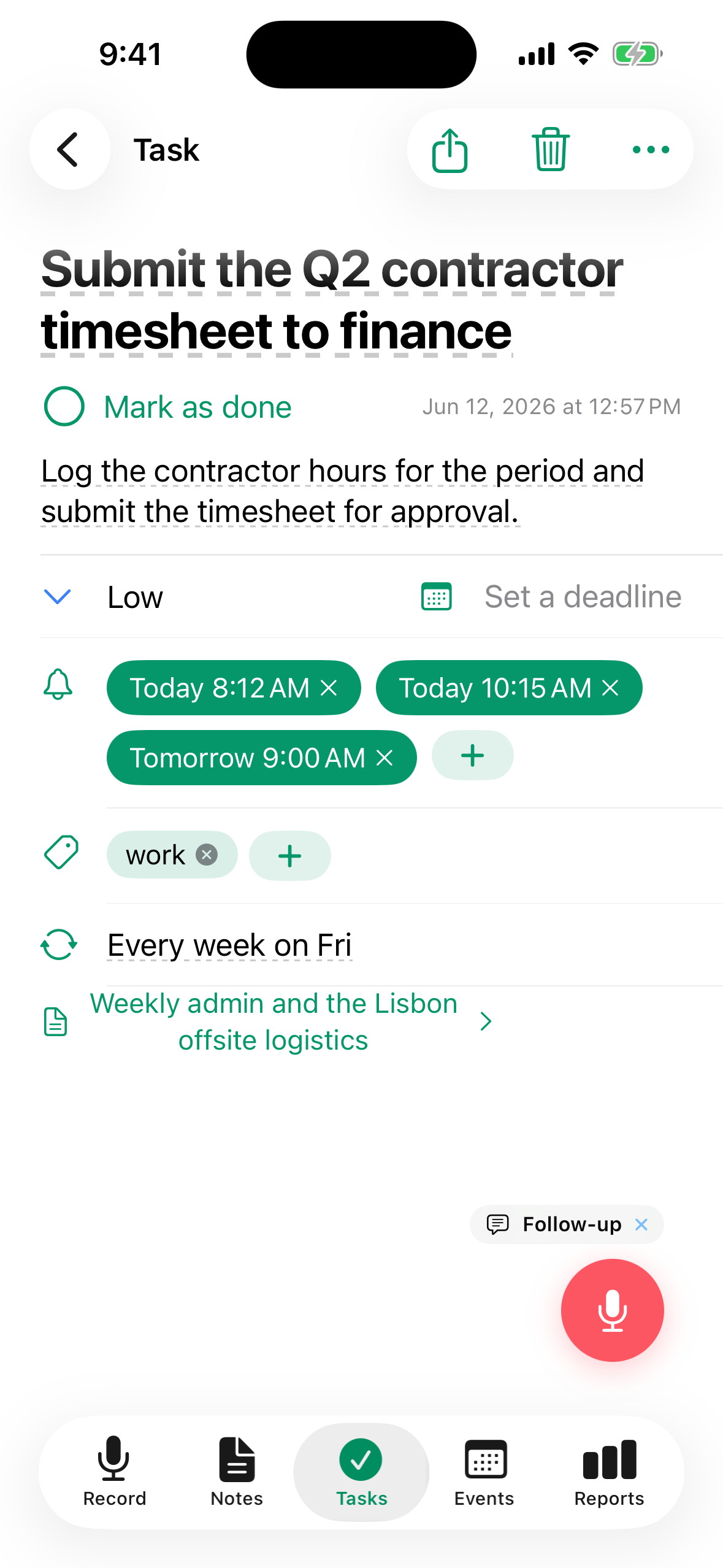
Quick actions on reminder notifications
When a task reminder notification arrives, you can mark the task Done or Snooze it right from the notification, without opening the app.
Deadline-day reminder
On the day a task's deadline arrives, TellDone sends you a heads-up notification at 9am local time. This is separate from any reminder times you set on the task, so a task with a deadline today still gets a nudge even if you never added a reminder to it.
Smart Context auto-completion
Smart Context requires the Basic, Pro, or Ultra plan.
When you mention completing a task in a new recording - like "I finished the report" or "sent the email to Anna" - TellDone automatically finds the matching task and marks it done.
- Up to 3 auto-completions per recording
- All auto-completions can be reviewed and undone in Settings > Activity
Smart Achievements
If you describe completed work that didn't have a pre-existing task, TellDone creates an achievement record. Your progress is tracked even when you work on unplanned items.
Learn more about auto-completion and achievements in Smart Context.
See also
- Smart Context - auto-complete tasks and track achievements
- Notes - the source notes from which tasks are extracted
- Todoist - two-way task sync
- Apple Calendar and Reminders - sync with Apple Reminders
- Things 3 - send tasks to Things 3
- Daily reports - completed and pending tasks in your daily report