Notes
Notes are the primary output of your recordings. Each note contains an AI-generated title, summary, type classification, tags, and any extracted tasks or events. You can edit any field directly on the detail screen, and you can keep adding context with follow-up recordings.
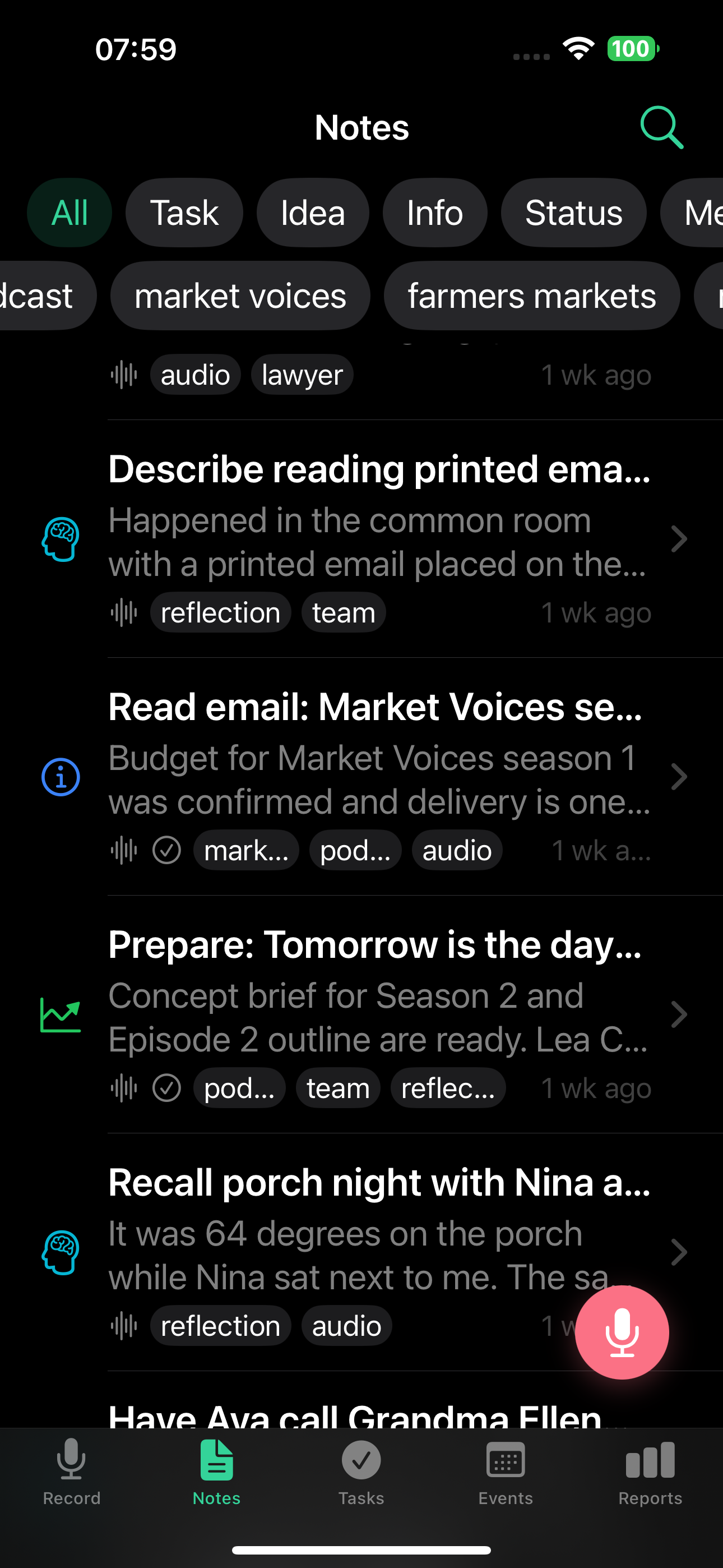
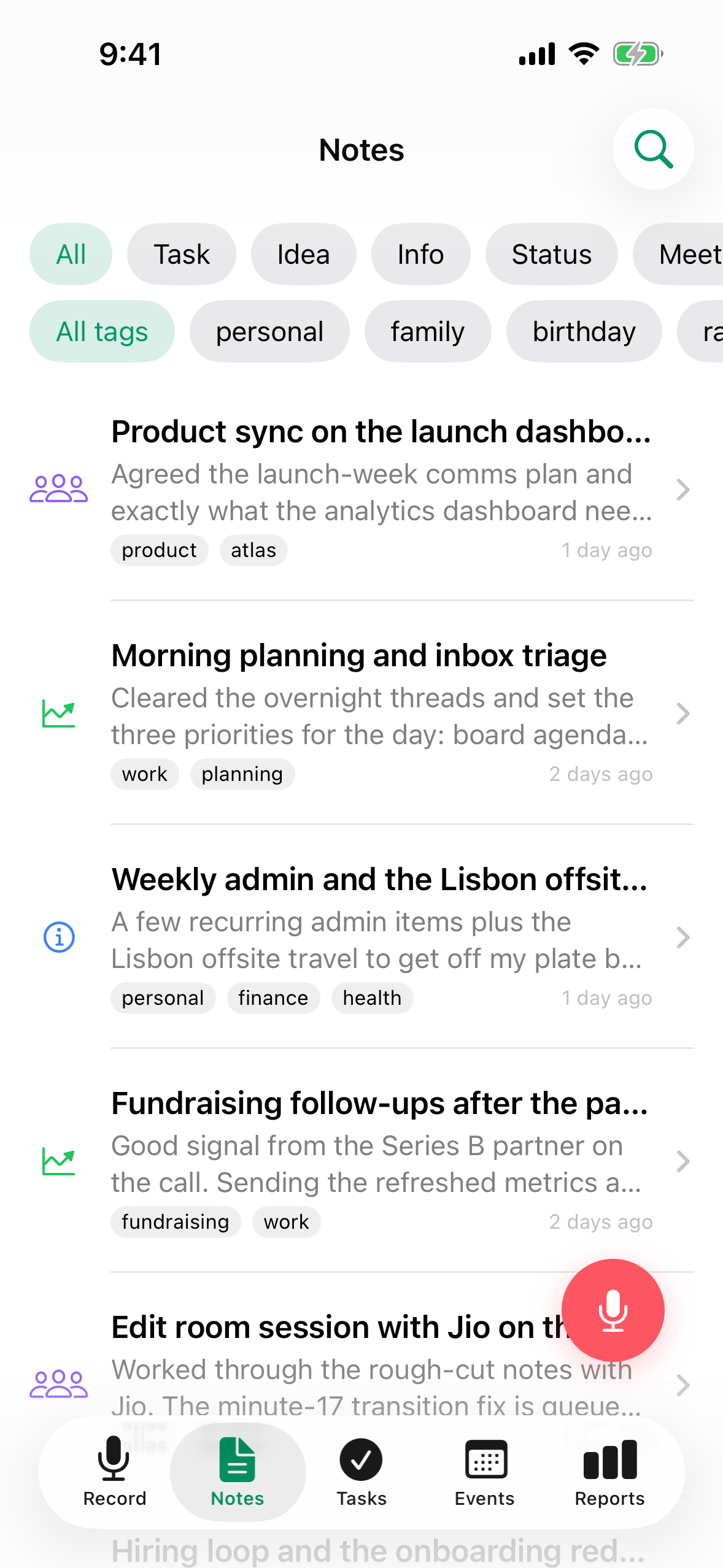
7 note types
TellDone's AI automatically classifies each note:
- Task - when you set yourself something to do
- Idea - a thought worth saving
- Info - a fact, contact, address, or number
- Status - a report of what you've done
- Meeting - a meeting or conversation summary
- Event - a meeting or event with a specific time
- Reflection - thoughts, conclusions, observations
Note detail view
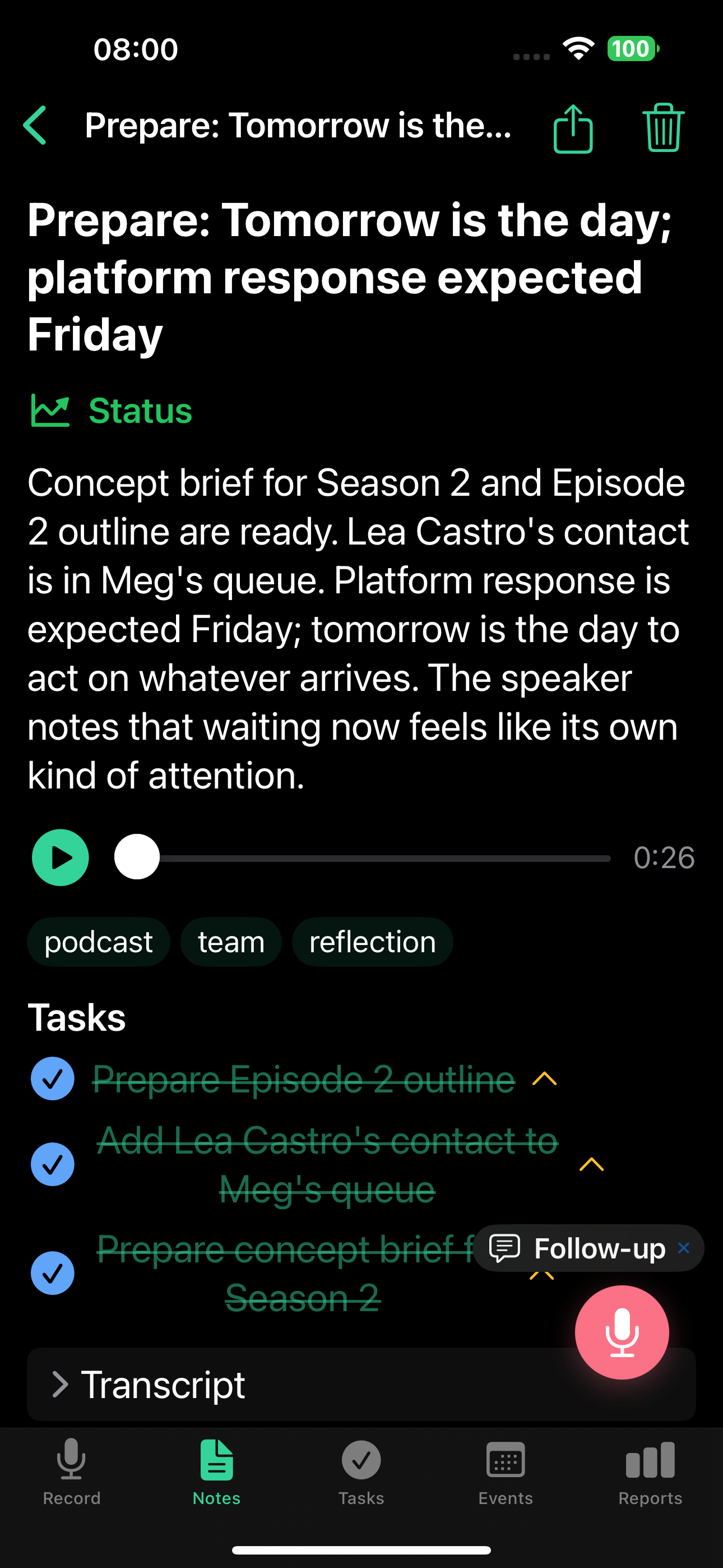
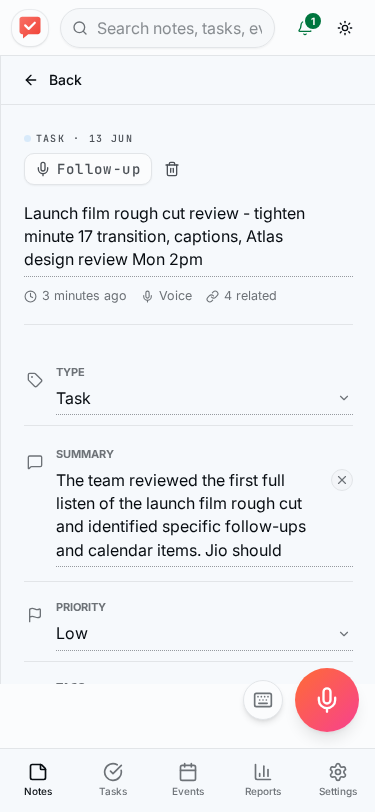
Tap any note to see its full content:
On the web app, the note detail opens in a split view next to the list:
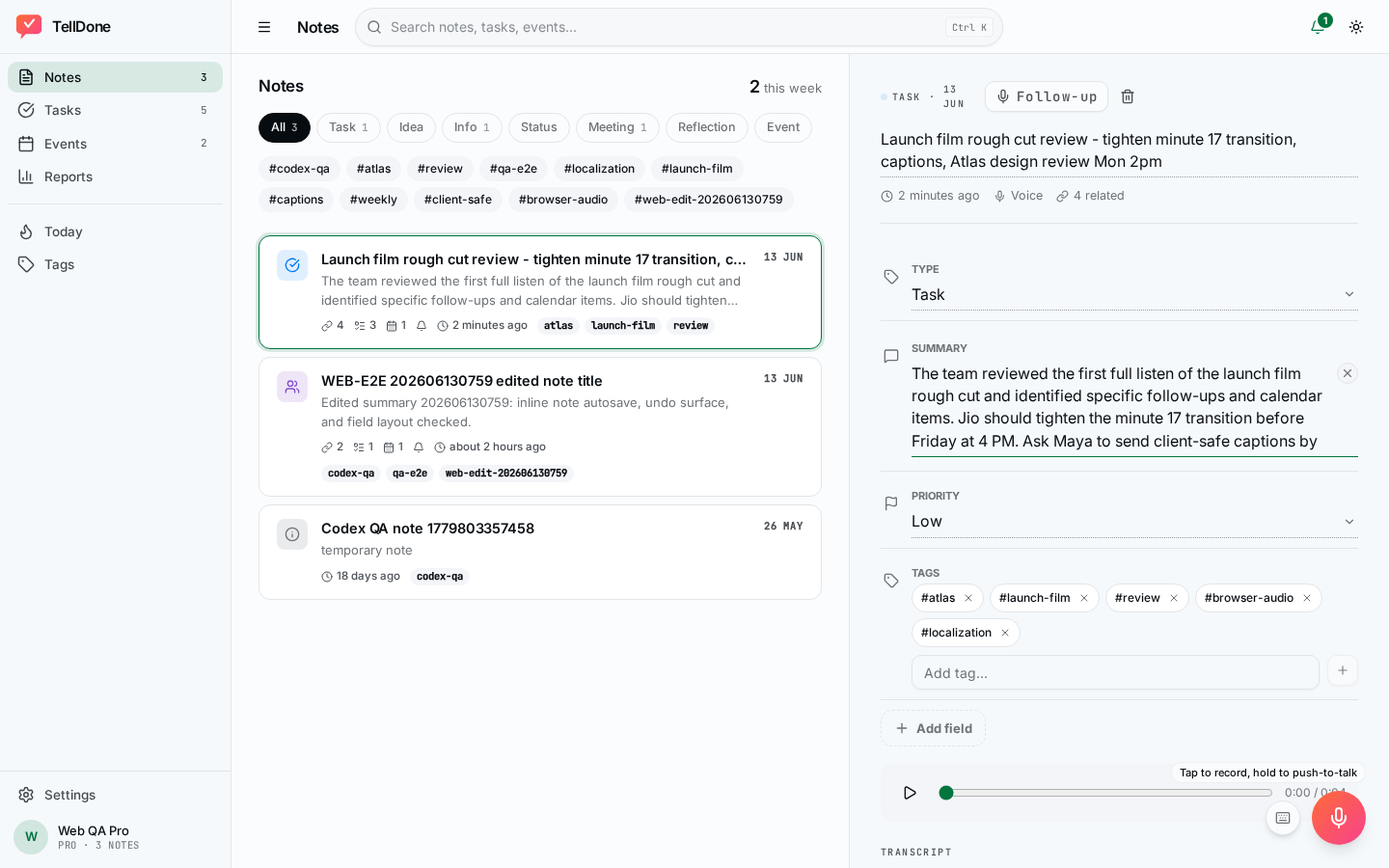
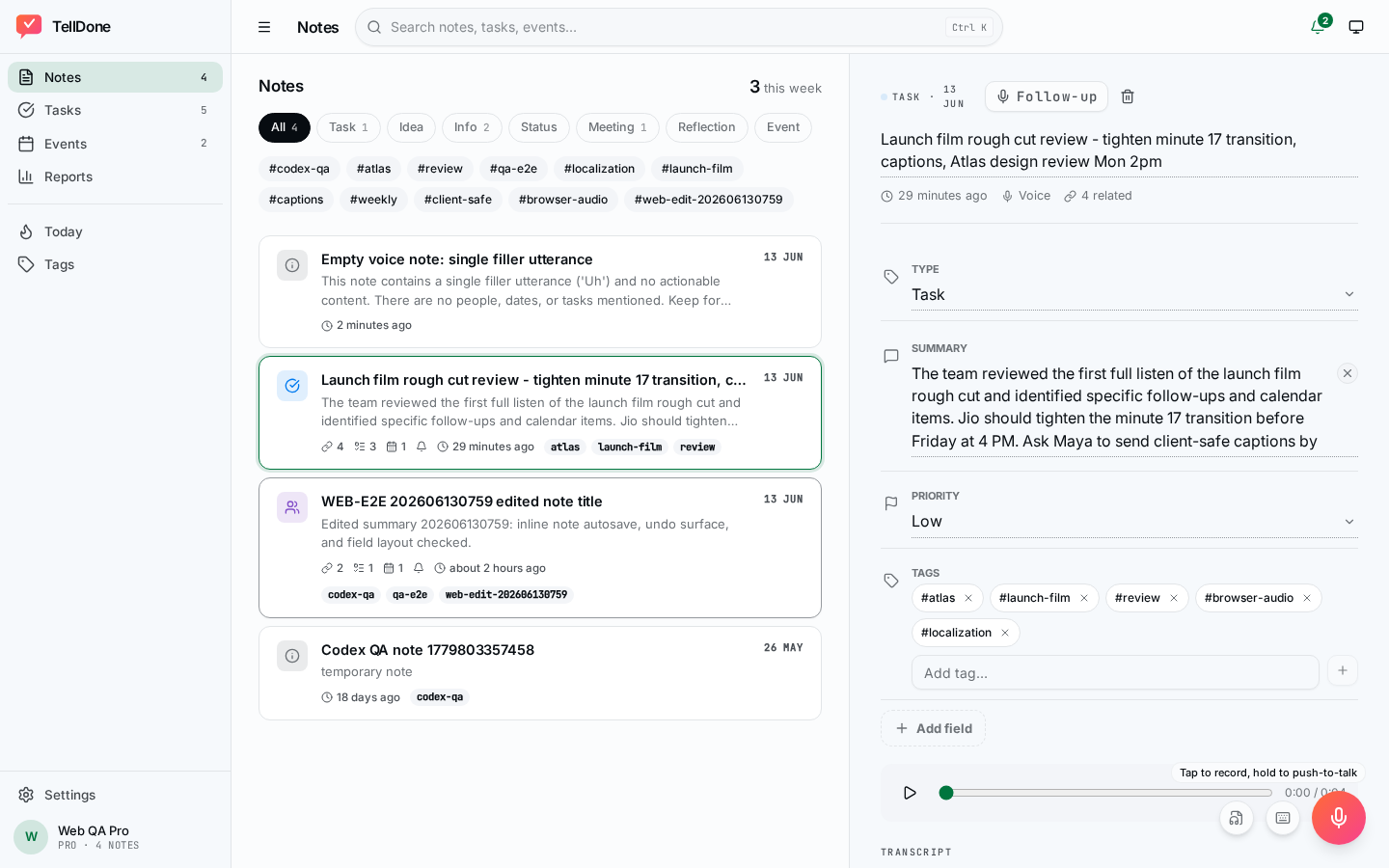
- Title and summary - AI-generated from your recording, editable inline
- Type badge - colored label showing the note type, editable
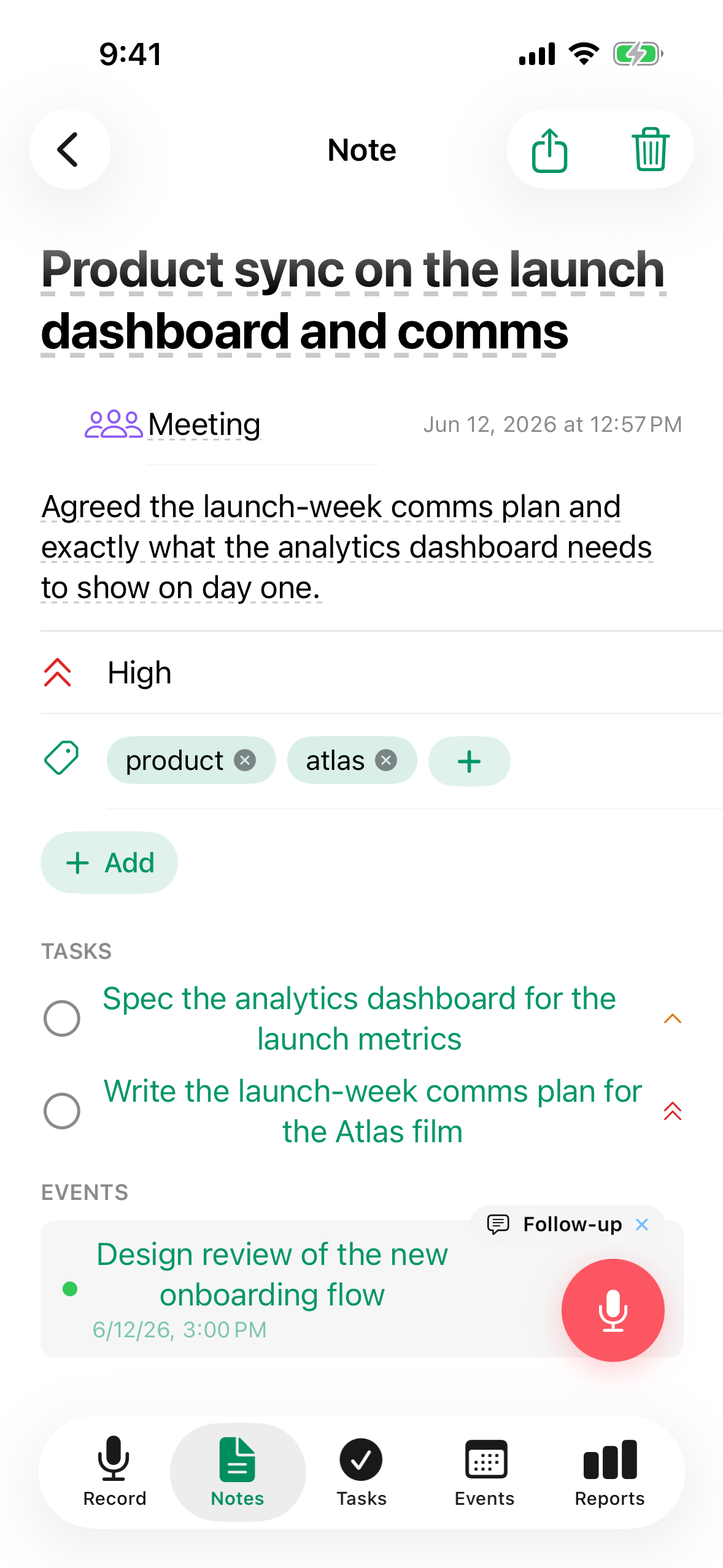
- Tags - up to 5, assigned automatically based on content, editable
- Priority - low, medium, or high (optional, collapsed by default)
- Deadline - optional date
- Audio player - listen to the original recording
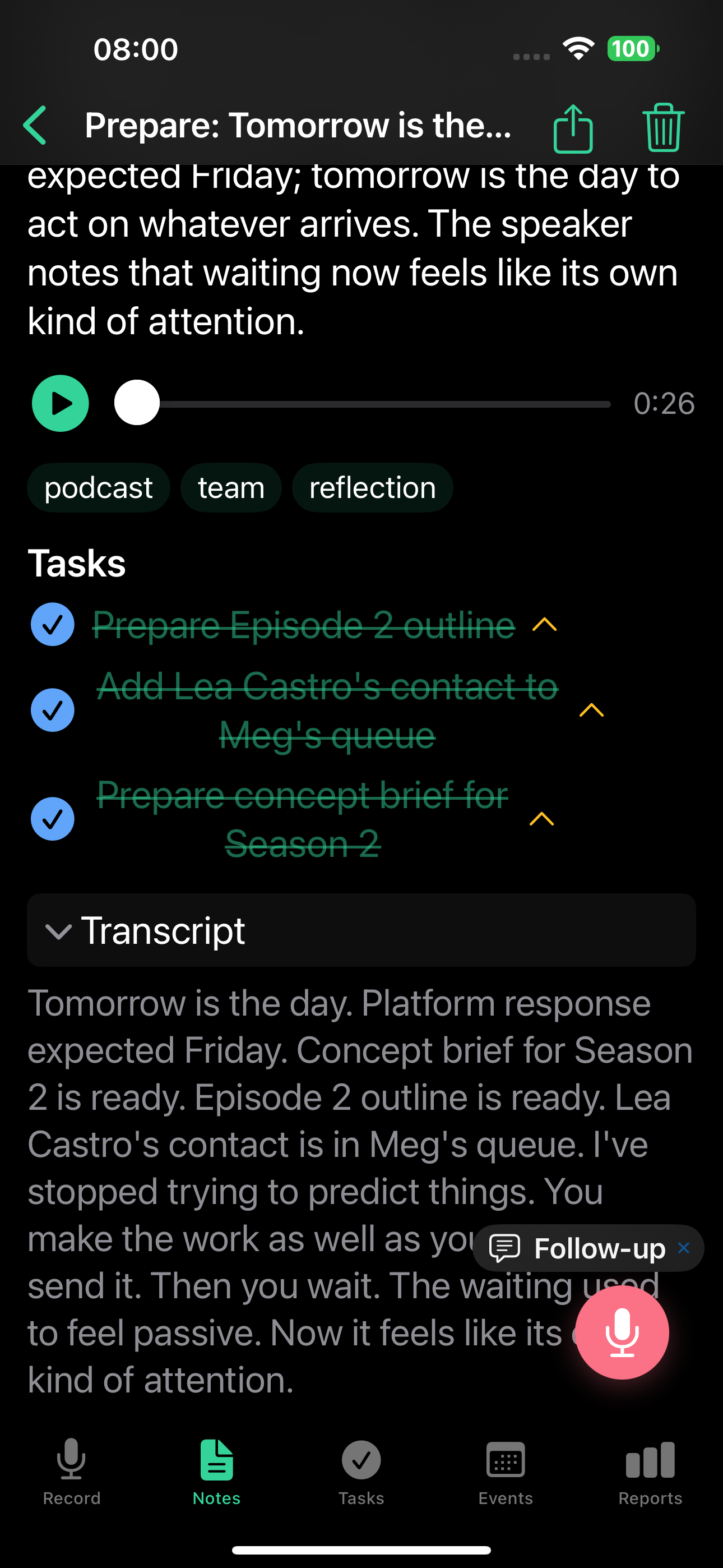
- Tasks - extracted items with checkboxes (crossed out = completed)
- Transcript - full text of what you said (read-only)
- Follow-up button - record or type additional context. Follow-ups are context-aware: the AI sees the note's title, summary, child tasks, and child events, so it can complete tasks, reschedule events, update deadlines, and more. See Follow-up recordings for details.
Editing on the detail screen
Every editable field is right there on the note detail screen. There is no separate edit form and no pencil icons - the whole row is the tap target.
- Tap any field on the detail screen to edit it. Changes save automatically as soon as you tap outside the field or tap Done. If you change something by mistake, tap Undo on the snackbar that appears at the bottom to revert that edit.
- Date and time use the system date picker (large detent, with an inline "Clear" button). Times display without seconds.
- Tags use autocomplete from your existing tags, plus a "+ check" button to commit a new one.
- Optional fields you have not set are collapsed. To add one, use the Add field menu - it only lists the fields that are currently hidden.
- Required fields (like the title) stay visible.
How saving works:
- iOS: changes apply immediately when you commit a field or dismiss the editor.
- Web: edits are batched. Use Save to apply them or Cancel to discard. Save is disabled until you actually change something.
Inline editing is great for small tweaks. For bigger updates - completing tasks, rescheduling events, or rewriting context - record a follow-up and the AI handles it across the whole note.
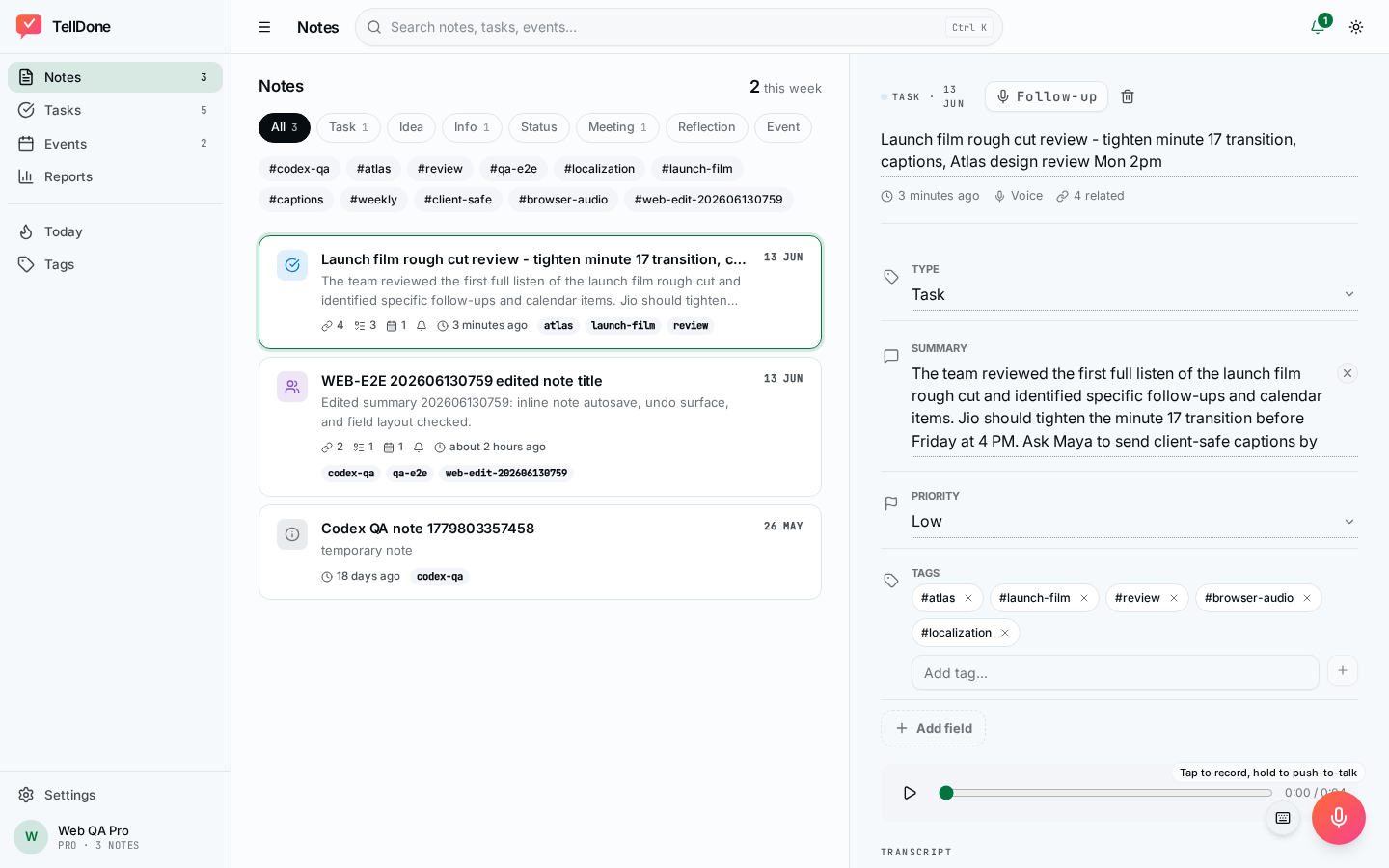
The web app is also available in a dark theme. Open Settings and choose Dark or System to match your system appearance.
Managing your notes
Filter and search
- Use type chips at the top of the notes list to filter by type
- Use tag filters to narrow results
- Use the search bar to find notes by text
Archive
Notes you don't need right now can be archived. Archived notes are hidden from the main list but are still searchable. To archive a note, open it and use the archive option from the detail screen. Swiping on a note in the list only offers the delete option.
Delete and restore
Deleted notes go to trash. They stay there based on your plan before being permanently removed:
| Plan | Trash retention |
|---|---|
| Free | 7 days |
| Basic | 30 days |
| Pro | 90 days |
| Ultra | 365 days |
You can restore a note from trash within the retention window.
Tags
TellDone automatically assigns up to 5 tags to each note, choosing from 50 standard tags. You can also:
- Create your own tags manually, including from the note detail screen
- Pin important tags so they always stay visible at the top of the list
- Unused tags gradually fade down the list over time - this natural decay keeps your most relevant tags front and center
Manual tags (ones you create yourself) appear before auto-generated ones in the tag list.
Tags help you organize and filter notes, tasks, and events. Your tag usage trends are also analyzed in daily reports, so you can see which topics you focus on most.
Offline mode
TellDone works without an internet connection:
- Recordings are saved locally and uploaded when you're back online
- An automatic retry queue handles up to 3 attempts
- A visual indicator shows when you're offline
- Everything syncs instantly when the connection returns
See also
- Recording voice notes - how to create notes
- Tasks - tasks extracted from notes
- Events - events extracted from notes
- Daily reports - AI summaries referencing your notes