Inbox and support
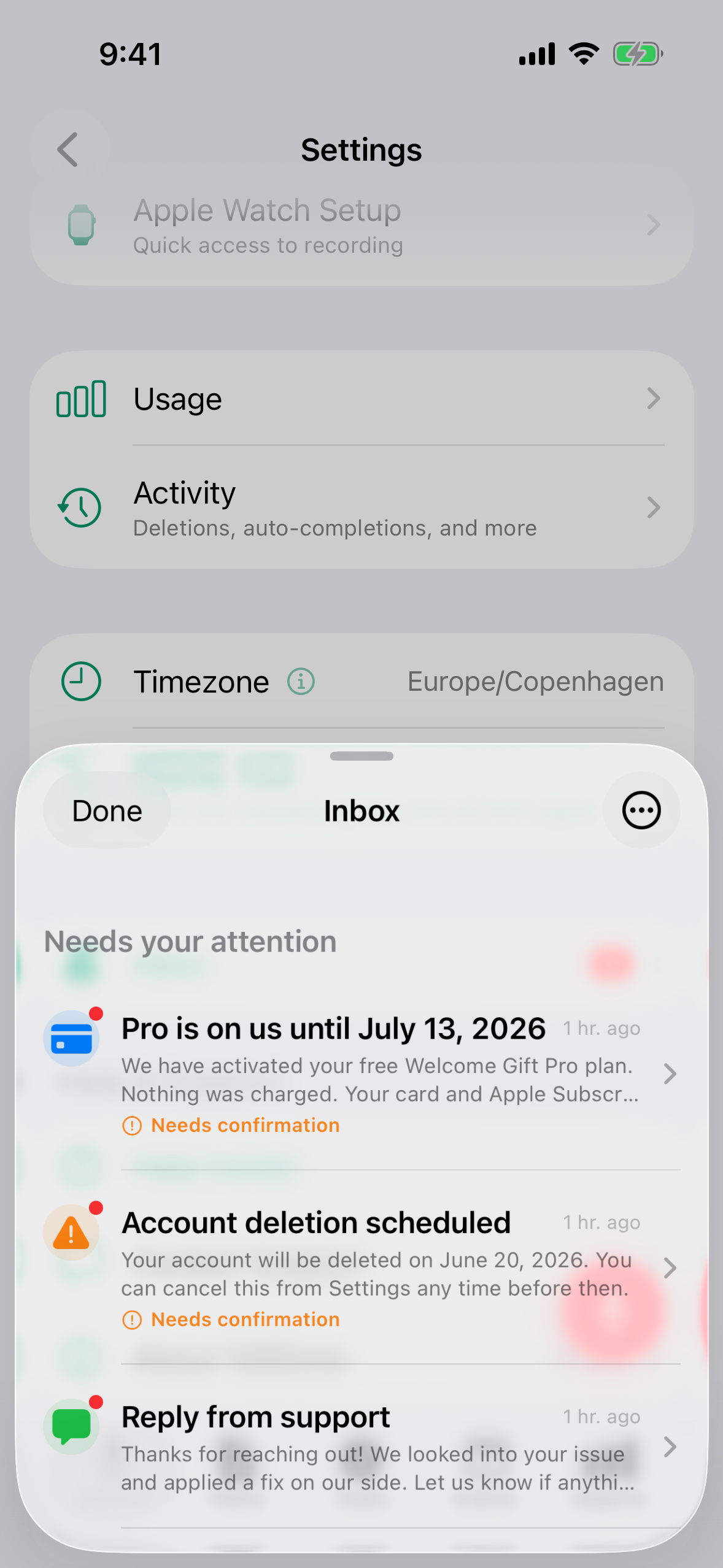
TellDone has a built-in Inbox where the system can send you important messages: webhook failures, account or billing notices, gift activations, deletion confirmations. From the same area you can contact support by voice or text without leaving the app.
Inbox
The web app shows the same Inbox at the top right:
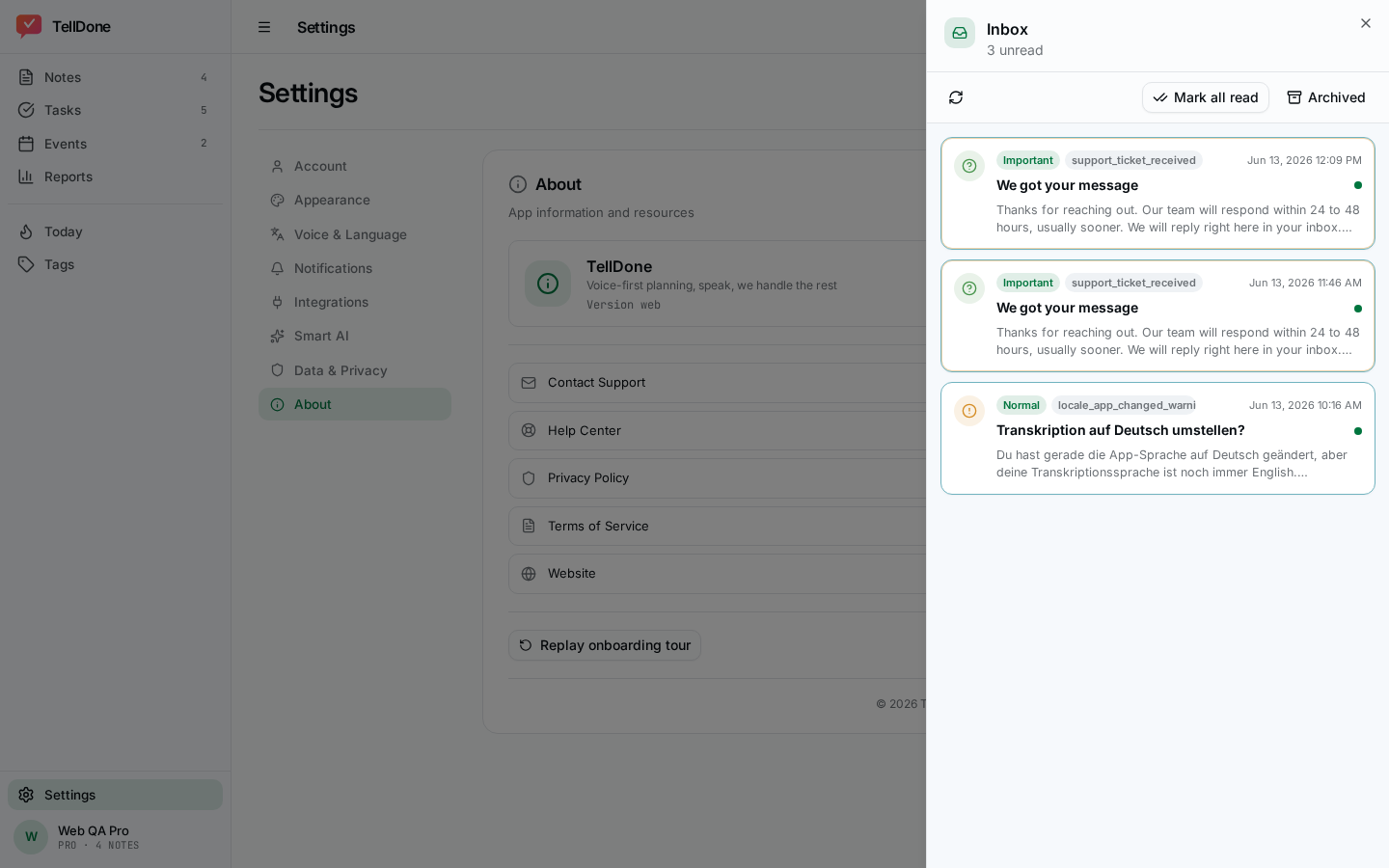
- A bell icon appears in the Record tab toolbar (iPhone) and the top bar (Web). It lights up when you have unread important messages.
- The bell uses a two-tier pulse. A gentle pulsing animation on the badge layer means you have unread important messages. A stronger pulse on the entire bell icon means at least one message requires your explicit acknowledgement before it can be dismissed. Reduce Motion turns both animations off.
- Tap the bell to open the Inbox sheet.
- Each message has a category icon (with a tinted circle), a short title, a summary, and possibly a CTA button.
- Categories include webhook failures, account, billing, gift activations, promotional warnings, deletion confirmations, language settings, and system notices.
- Swipe left on a message to archive it.
- Some messages require an explicit acknowledgement ("Ack" button) before they can be dismissed. You'll see an inline prompt if you try to swipe them away too early.
- CTA buttons can open a URL (for example, a setup help page), confirm an action (for example, "Confirm deletion"), cancel an action (for example, "Cancel deletion"), or jump straight into a settings screen (for example, Open settings to fix a language mismatch).
- Important messages also appear as a 3-second toast outside the Inbox if you missed them.
note
Inbox is server-managed. You don't need to do anything special to enable it: TellDone sends messages when something needs your attention.
Common Inbox messages you might see
| Category | When you see it |
|---|---|
| Webhook failures | An automation has failed 3 or more times in a row. Check the webhook URL or auth in Settings -> Integrations -> Automations. |
| Gift activated | A gift subscription or promo code was applied to your account. |
| Subscription extended | A promo code or manual extension added time to your subscription. |
| Subscription cancelled | Your Pro or Ultra subscription was cancelled. |
| Deletion confirmation | Your account deletion is pending. The CTA can cancel it within the 7-day grace period. |
| Language mismatch | TellDone detected that your speech does not match your transcription language setting. For example, you record in French but TellDone is set to transcribe in English. The CTA opens the transcription language section in Settings so you can switch in seconds. This card is sent at most once per transcription language change - it requires acknowledgement before it can be dismissed. |
| App language changed | You switched the app to a different language. A suggestion appears to also update your transcription language if they now differ. No bell indicator - informational only. |
| Support ticket received | Your voice or text support message was submitted successfully. |
| Support reply | TellDone's support team replied to your ticket. |
Voice Support
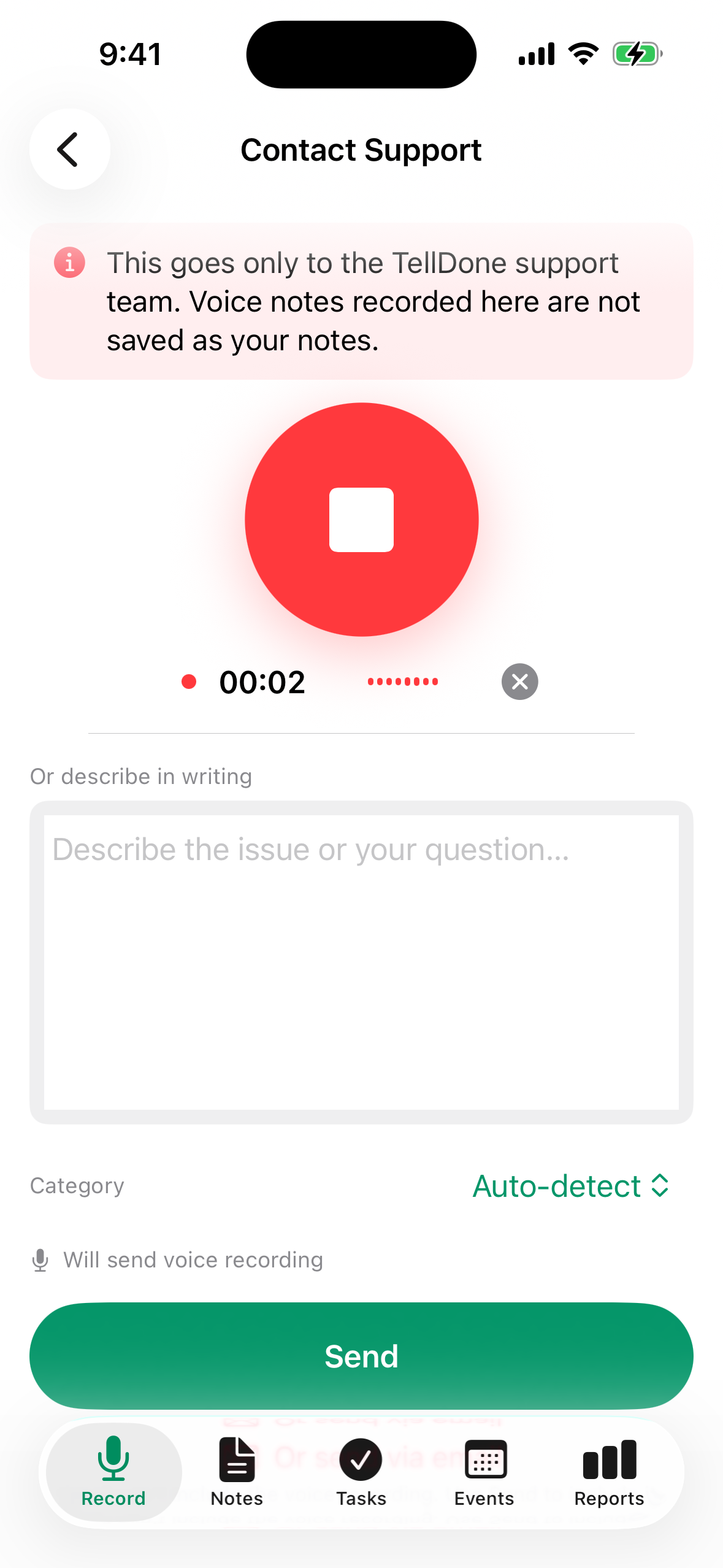
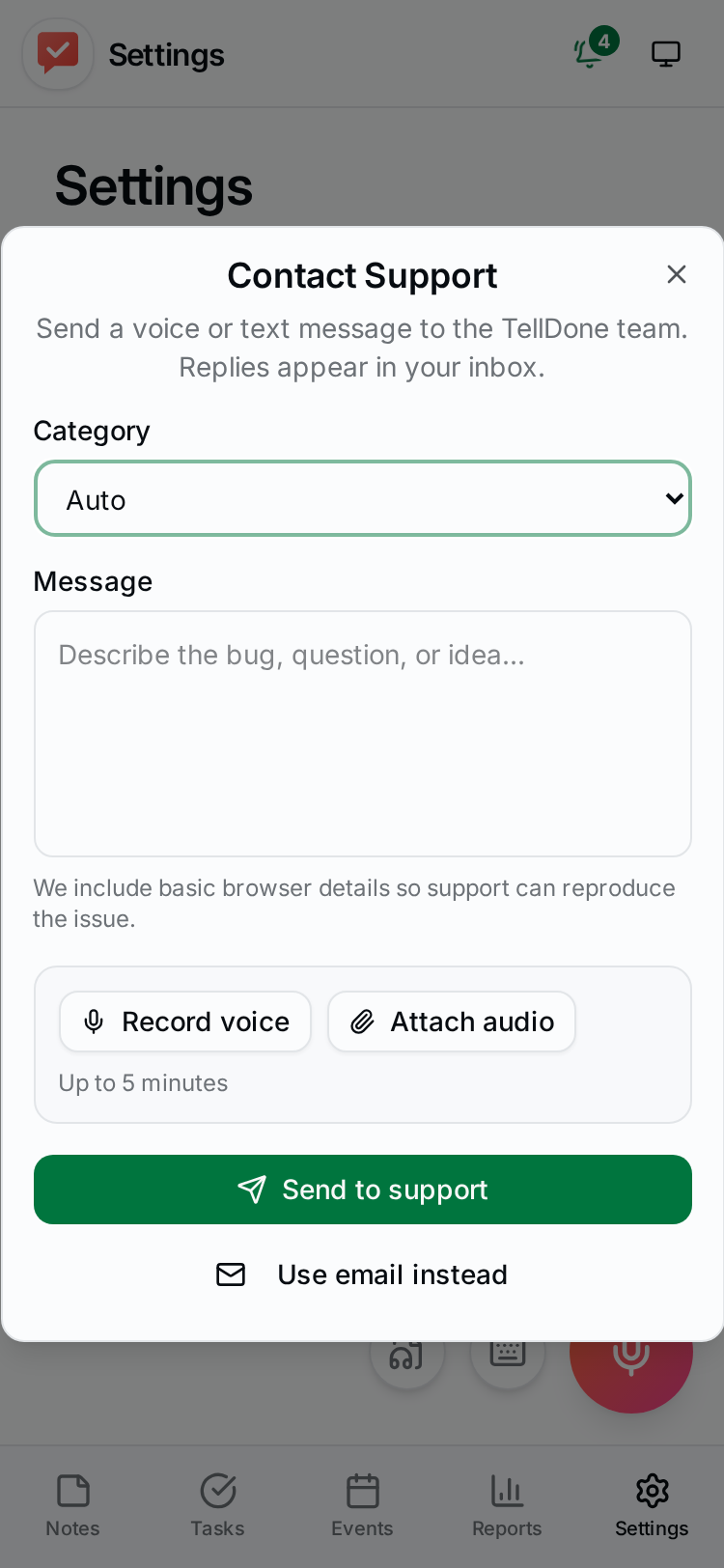
- iPhone: Settings -> Help & Support -> Contact Support (replaces the old "send email" option).
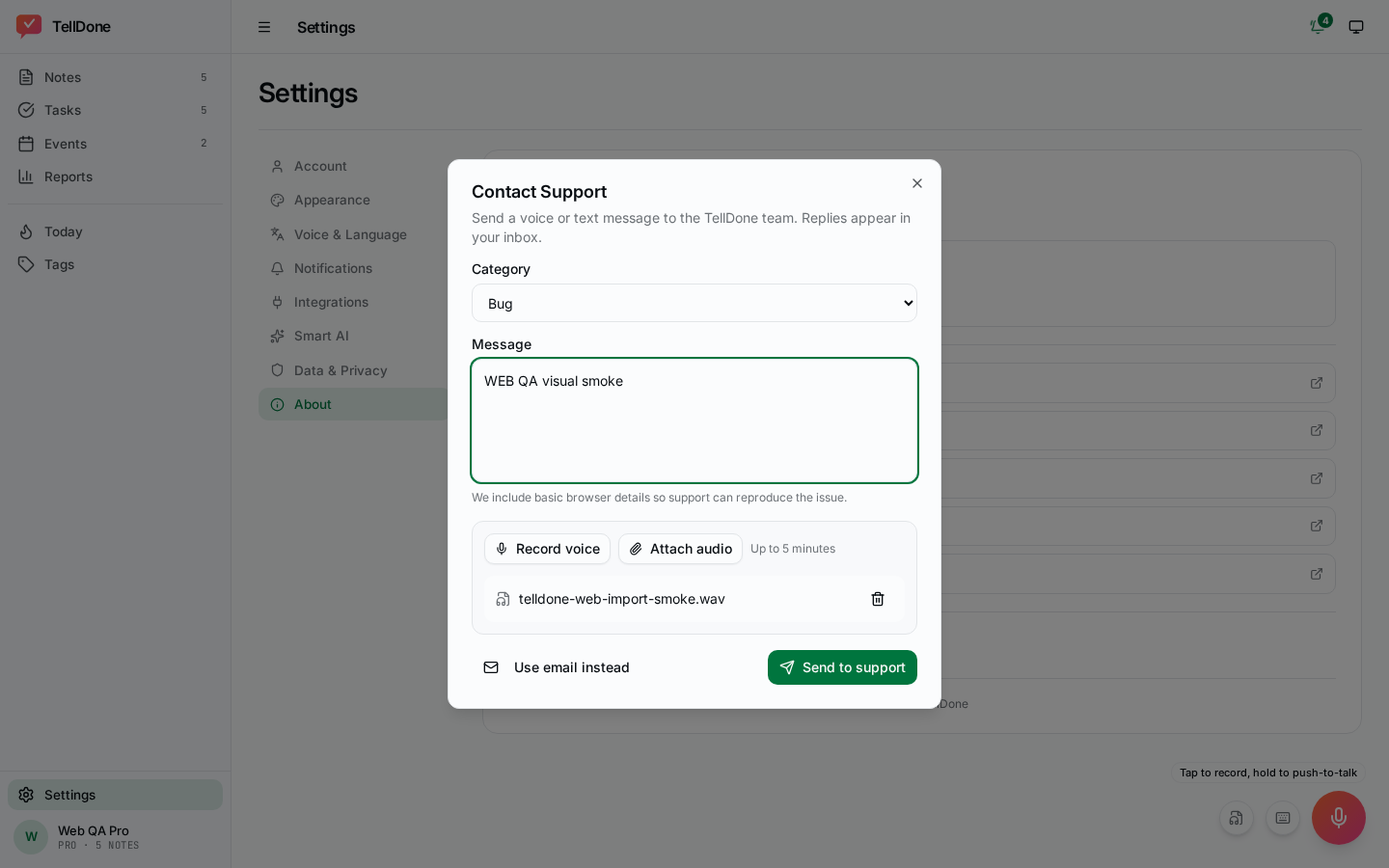
- Web: Settings -> About -> Contact Support.
- You can record up to 5 minutes of voice describing your issue, OR type a text message, OR both. A warning appears 60 seconds before the 5-minute limit.
- Optionally categorize your issue (Auto / Billing / Bug / Feature / Account / Other). Pick Auto to let TellDone route it for you.
- Submit goes directly to TellDone's support queue. You'll see a confirmation toast.
- Rate limit: 5 submissions per hour. If you hit it, you'll see a friendly message: wait an hour or use the email fallback.
- Email fallback: tap "Send via email" to switch to your default mail app with support@telldone.app pre-filled.
tip
Voice is faster than typing for explaining a bug or describing what you tried. Record naturally: TellDone's support team listens to the original audio plus reads the transcript.
Privacy
- Inbox messages are stored on TellDone's servers and tied to your account.
- Support submissions (voice and text) include your account email and recent usage context to help diagnose your issue. They are kept according to TellDone's privacy policy.
- You can request deletion of past support tickets via GDPR data deletion.