What's new in TellDone 1.3
A month of upgrades focused on three things: less manual work, more reach (15 app languages, 60+ speech languages), and better feedback loops between you and the AI.
Highlights
- Recurring tasks - say it once, TellDone keeps the habit alive
- Multiple reminders per task - layer reminders the way you actually need them
- Inline edit on iPhone and Web - tap any field on a note, task, or event and change it on the spot
- Dual-axis languages - the interface and the language you speak are now independent
- MCP access - connect TellDone to Claude Code, Cursor, Windsurf, or any MCP-aware AI agent (Pro and Ultra)
- Voice Support - record a 5-minute voice message to support without leaving the app
- Apple Watch chained recording up to 60 minutes (Pro and Ultra) - no more 10-minute cliff
- Share audio into TellDone - 100 MB / about 90 minutes from Voice Memos, Mail, Telegram, anywhere with an iOS share sheet
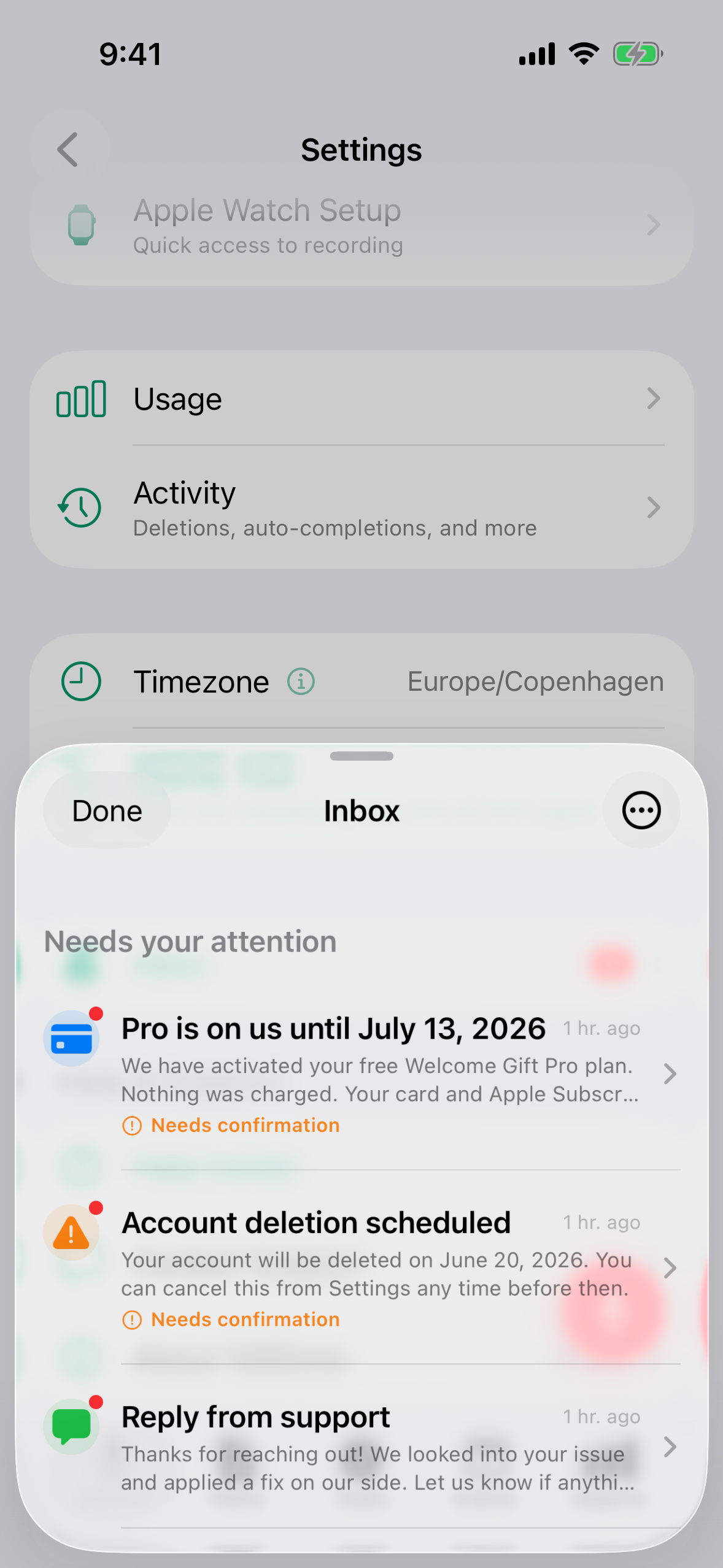
- Inbox - important messages and system notices stay inside the app, not in your email
Recurring tasks
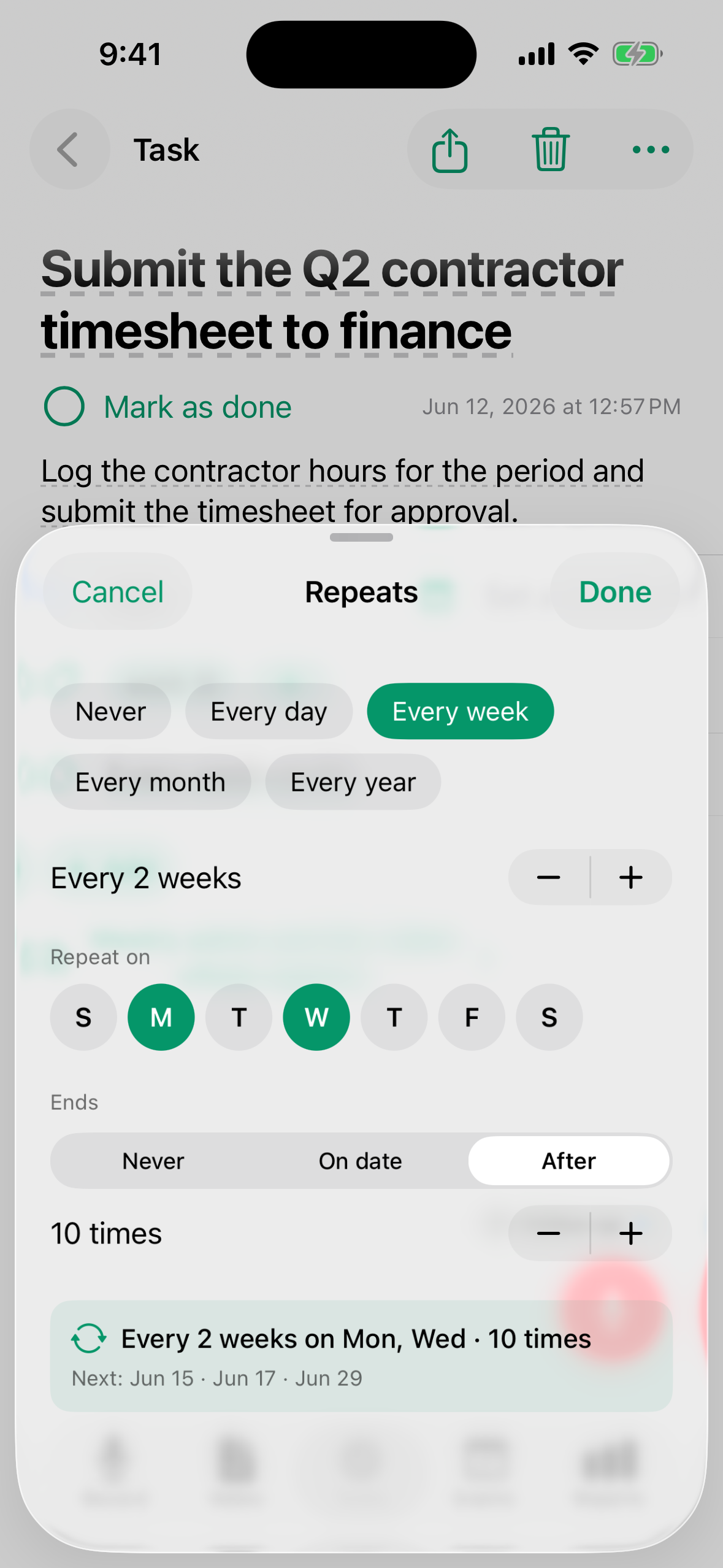
Tell TellDone "remind me to stretch every morning at 7am" and the same task stays alive forever. Completing one occurrence does not archive the task - it advances the reminder to the next time and stamps when you finished the previous one.
- One task row, many occurrences
- Smart-complete is idempotent - double-tap in the same period is a no-op
- Stop the habit by clearing the recurrence (becomes one-off) or archiving the task
See Tasks for the full pattern.
Multiple reminders per task
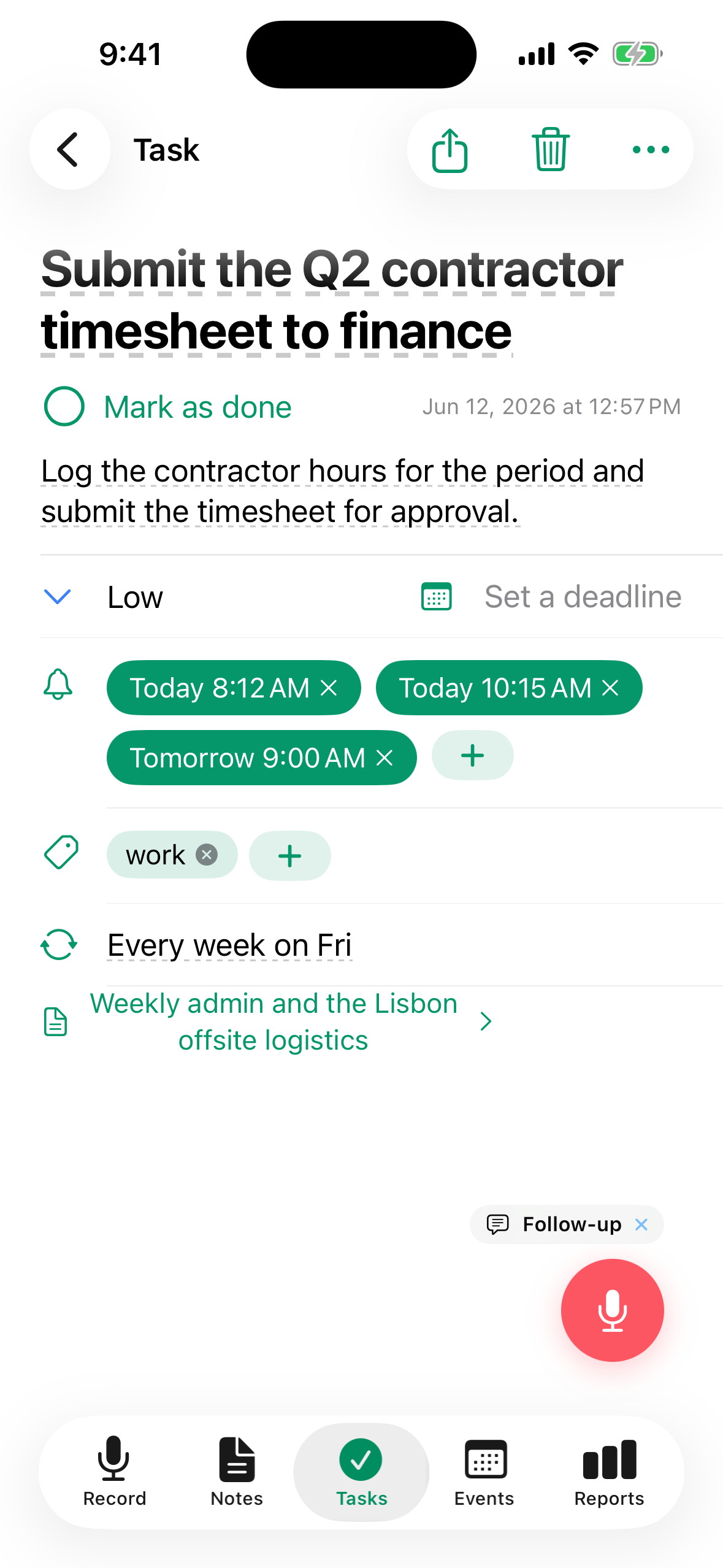
A task can carry several absolute-time reminders. Use one for a heads-up the day before and one for the time itself. Every reminder fires as a TellDone push notification. If you have the Apple Reminders integration on, only the first reminder time is mirrored to Apple Reminders as an alarm - the rest still fire from TellDone.
Inline edit
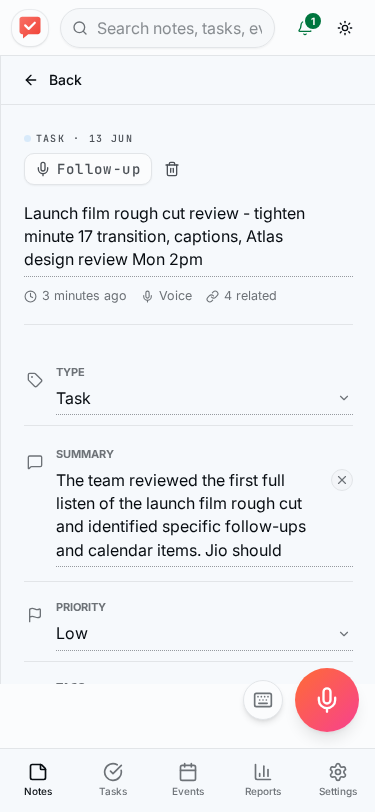
Open a note, task, or event detail screen on iPhone or Web and edit fields right there. What you can change inline:
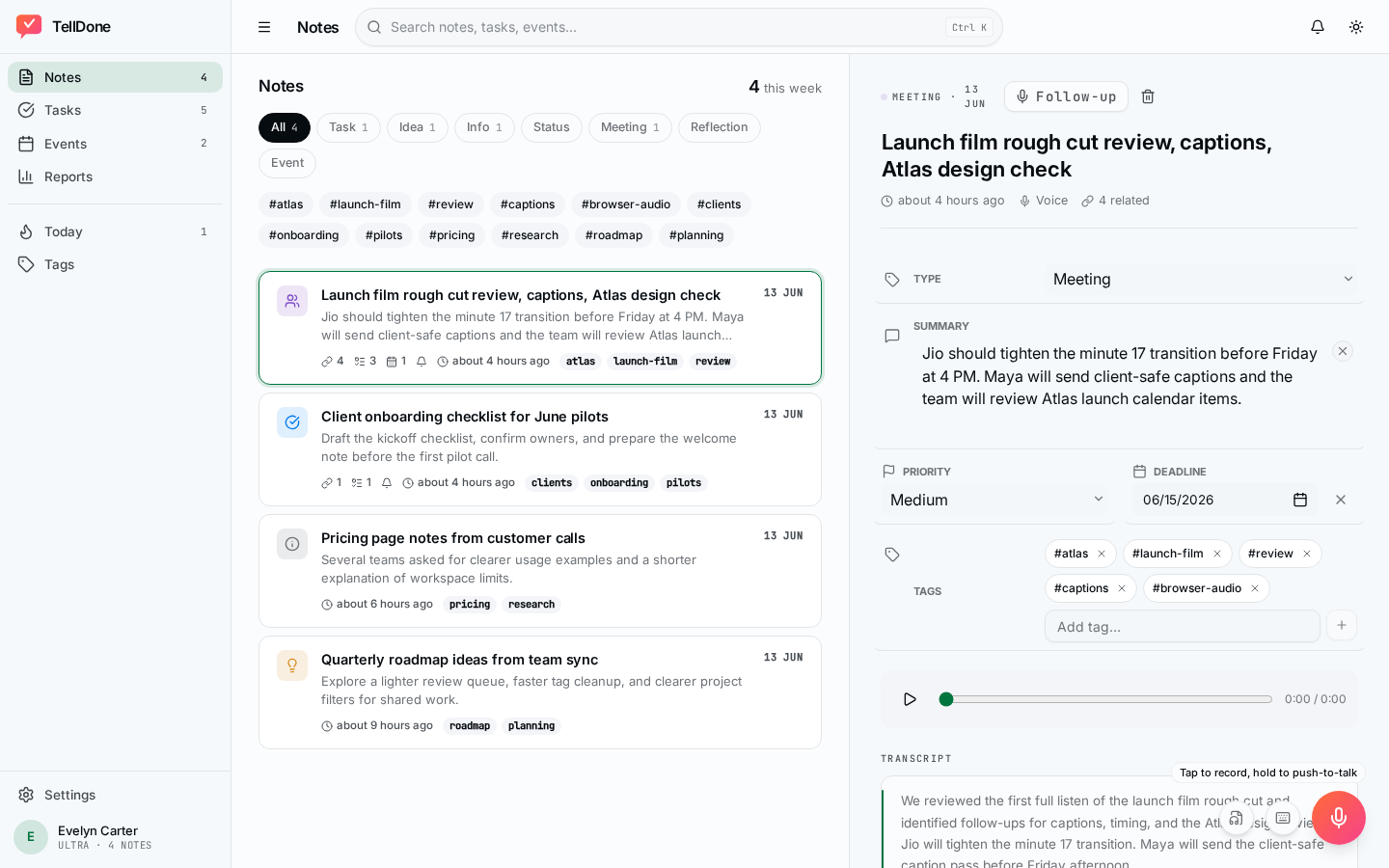
- Notes - title, summary, note type, tags. Priority and deadline are optional and appear via the Add field menu. The transcript itself stays read-only - it's the source of truth.
- Tasks - title, description, priority, deadline, tags, reminders (one or many), recurrence. The status toggle (todo / done) lives next to the title.
- Events - title, description, start and end time (with an all-day toggle), location, attendees, tags, reminders, recurrence. Cancel an event from the overflow menu.
No separate edit form, no pencil icons - tap the row. Edits save on their own; an Undo snackbar appears for about 4 seconds after each change (5 seconds for a delete).
You still have the voice path for bigger changes: open the detail screen, tap Follow-up, and dictate the update. The AI applies it to the right field. Use whichever is faster in the moment - typing for a one-word fix, voice for a multi-field update.
Dual-axis languages
Your interface language (TellDone UI) and your speaking language (transcription + AI summaries) are now independent.
- Open the app in German UI while still speaking English notes
- Or use the English UI and dictate in Polish
- 15 interface languages, 60+ speech languages
- Reports and AI narratives are generated in the language you speak, not the language of your interface
Change your voice language in Settings > Transcription language on iPhone, or in Settings > Voice & Language on the web. The iPhone interface language follows your device language (set it from iOS Settings > TellDone > Language); on the web, pick it directly in Settings > Voice & Language.
MCP access (Pro and Ultra)
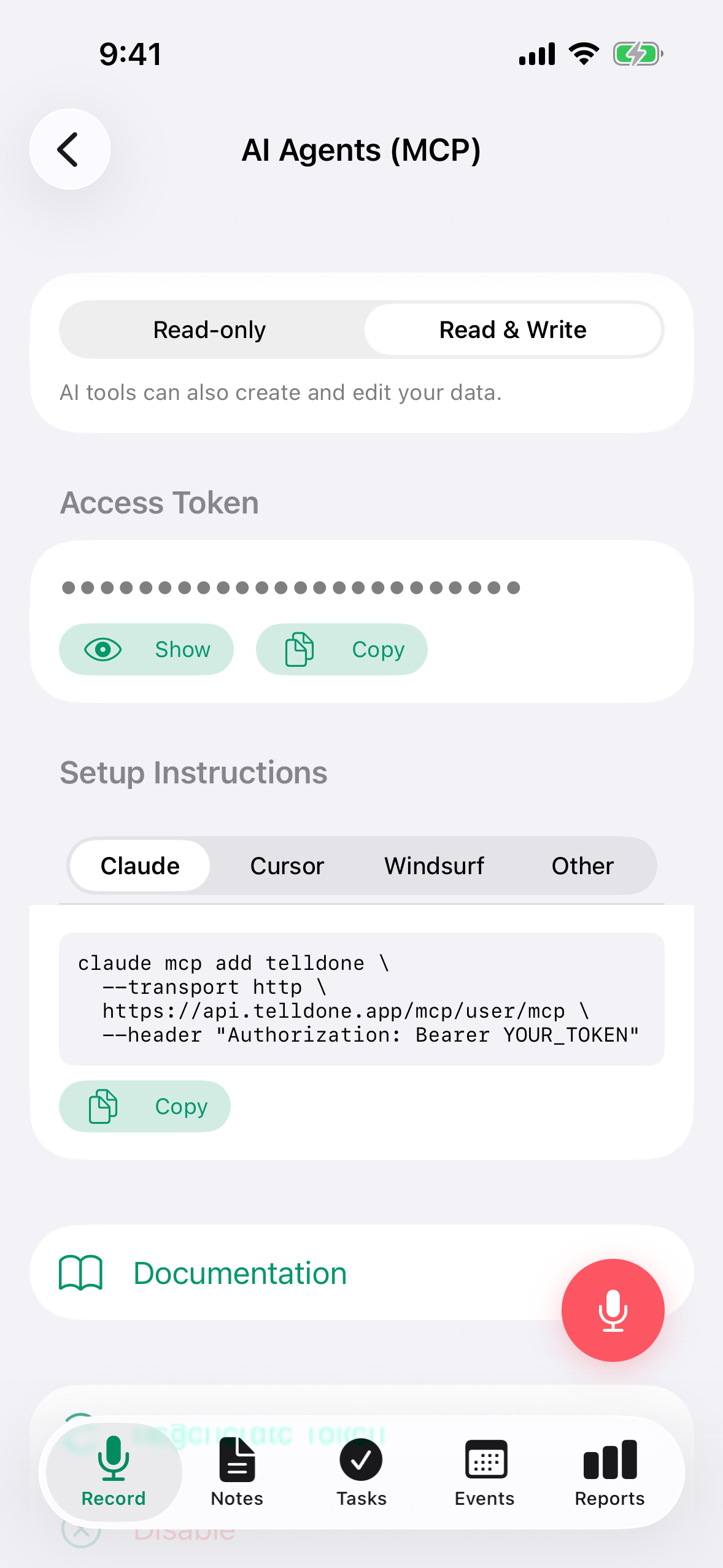
Pro and Ultra subscribers can now connect TellDone directly to AI agents like Claude Code, Cursor, Windsurf, or any other MCP-aware client. Read and write notes, tasks, and events through 20 MCP tools using a personal token managed from Settings > Integrations > MCP Access.
See MCP access for the connection guide.
Voice Support
Hit a bug or have a feature request? Open Settings > Help & Support > Contact Support and record up to 5 minutes describing the issue. Categorize it (Auto / Billing / Bug / Feature / Account / Other) or let TellDone route it for you. The whole thing happens inside the app.
See Inbox and support.
Inbox
Account notices, gift activations, webhook failures, language warnings, and support replies now arrive in an in-app Inbox you can open from the bell icon on the Record tab. No more digging through email for the things that need your attention right now.
Apple Watch chained recording (Pro and Ultra)
The Apple Watch can record up to 60 minutes by chaining 10-minute segments together behind the scenes. Twenty seconds before a segment ends, the Watch taps you to confirm whether to continue or finish. Stitching happens automatically on the iPhone side - you get one note.
See Apple Watch.
Share audio into TellDone
The iOS share sheet now accepts audio files up to 100 MB (roughly 90 minutes). Send a voice memo, a meeting recording, an audio message from Telegram or Mail - whatever your iPhone can share, TellDone can transcribe and analyze. Plan recording-duration limits still apply.
Web app refresh
The web companion at app.telldone.app got a major polish for the 1.3 cycle: cleaner notes list, inline edit on detail views, an updated daily report layout, dark mode, and the new MCP access settings.
See Web app guide.
Under the hood
- Sync v2 - cursor-tuple pagination, tombstones, and inbox sync. One round-trip recovery after long offline; the app catches up in seconds, not minutes.
- Smoother long-recording playback - hour-long notes scrub without stutter on iPhone.
- Refreshed onboarding - a short carousel walks new accounts through value, language pick, mic permission, notifications, quick access, and integrations on first launch.
- API contract hardening - filter values are now closed sets (no more silent empty results from typos).
- Push notifications for task reminders, event reminders, report ready, gift activated, and promo warnings.
- Apple Sign In and Google Sign In - one-tap account creation on iPhone and Web.
Subscriptions
Plan structure stays the same (Free, Basic, Pro, Ultra). What's new:
- Apple Sign In and Google Sign In for one-tap account creation
- Gift trial banner with clear days-remaining and one-tap upgrade
- Self-service deletion with a 7-day grace period (cancel any time inside the window)
See Plans and pricing.
See also
- What is TellDone? - if you're brand new
- First voice note - the 60-second tutorial
- Web app guide - the browser companion
- MCP access - connect TellDone to your favorite AI agent