Todoist
Basic plan and above
Todoist is a server integration. You need at least one available integration slot (Basic: 1 slot, Pro and Ultra: unlimited).
TellDone syncs your tasks with Todoist in both directions. Tasks created in TellDone appear in Todoist, and changes in either app are reflected in the other.
Setup
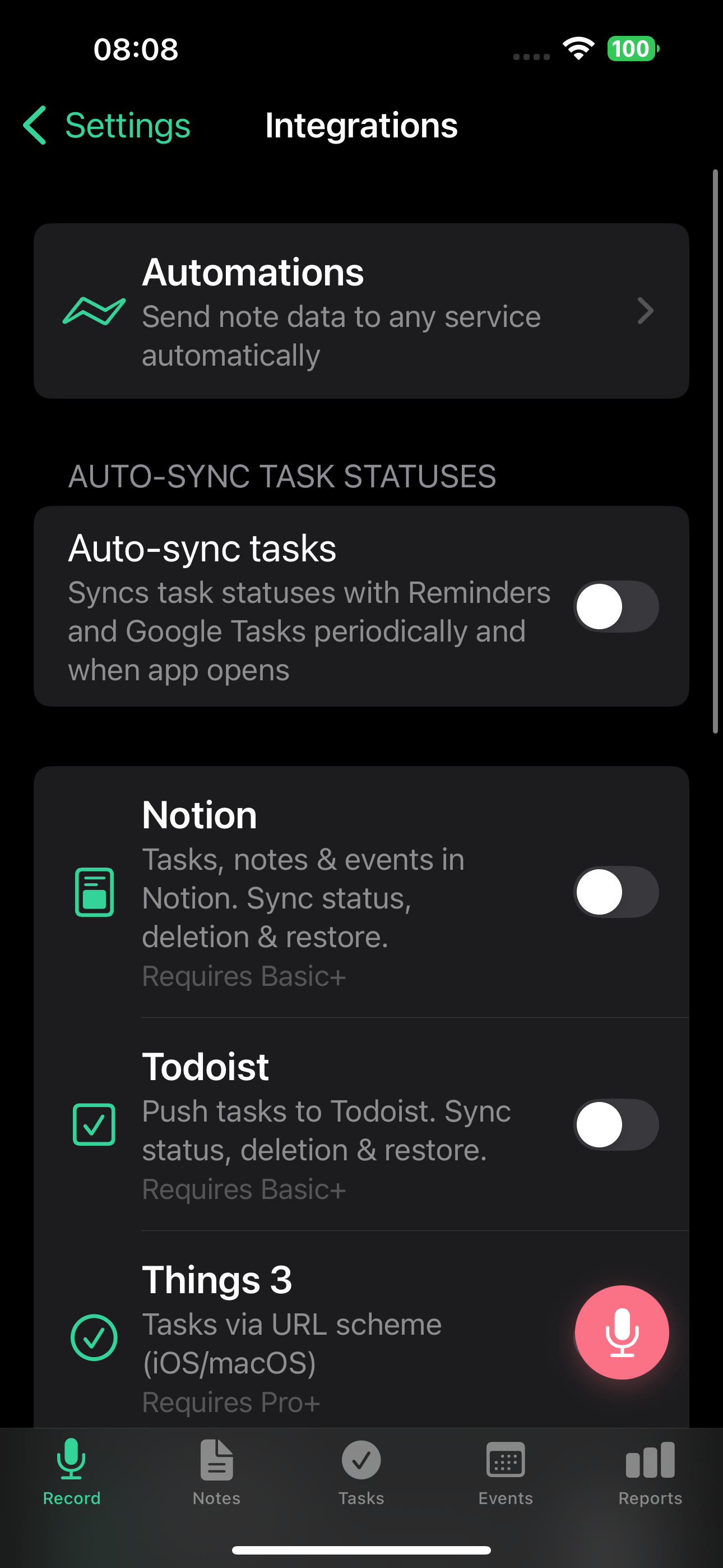
- Go to Settings > Integrations
- Tap Todoist
- Tap Connect
- Sign in to your Todoist account
- Authorize TellDone to access your tasks
- Choose which Todoist project to sync with (or use Inbox)
What syncs
- Task title and description
- Due dates
- Completion status
- Priority levels: TellDone High = Todoist Priority 4 (red), Medium = Priority 3 (orange), Low = Priority 2 (blue)
- Tags are mapped to Todoist labels
Changes sync both ways:
- Complete a task in TellDone, and it's done in Todoist
- Complete a task in Todoist, and it's done in TellDone
- Update a title or due date in either app, and the change appears in the other
tip
Changes sync in near real-time via webhooks, with a backup check every few minutes. Uncompleting a task in Todoist reopens it in TellDone. Deleting a task in Todoist removes it from TellDone.
Disconnect
- Go to Settings > Integrations
- Tap Todoist
- Tap Disconnect
Your tasks in both apps remain unchanged - only the sync connection is removed.
See also
- Tasks - managing tasks in TellDone
- Notion - another server integration for notes, tasks, and events
- Apple Calendar and Reminders - local task sync
- Webhook automations - send data to your own services