Creating your account
Setting up your TellDone account takes less than a minute.
Sign up
- Open TellDone (or visit app.telldone.app)
- Tap Sign up
- Enter your email address
- Choose a password (at least 8 characters)
- Tap Create account
- Check your email for a verification link
- Tap the link to verify your account
- Log in with your credentials
You can also sign up with Apple Sign In or Google Sign In for a faster setup - just tap the Apple or Google button on the login screen.
Onboarding
After your first login, TellDone walks you through a quick onboarding in seven steps:
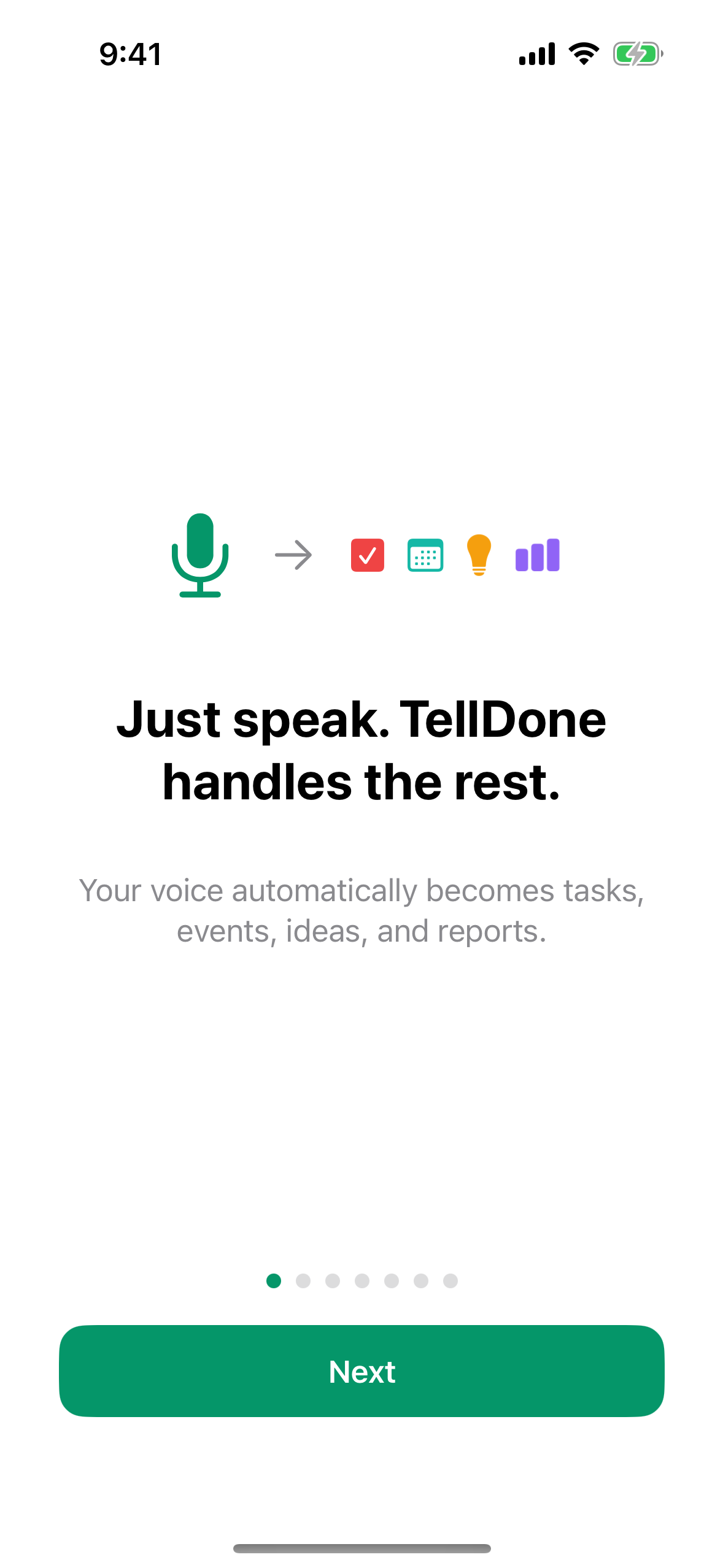
- Welcome - a short animation shows how a voice note becomes structured notes, tasks, and events automatically.
- Pick your voice language - choose the language you speak when recording. This sets the language for your note titles, summaries, tasks, events, and reports. The list shows 60+ languages in their native names, opened at your detected language.
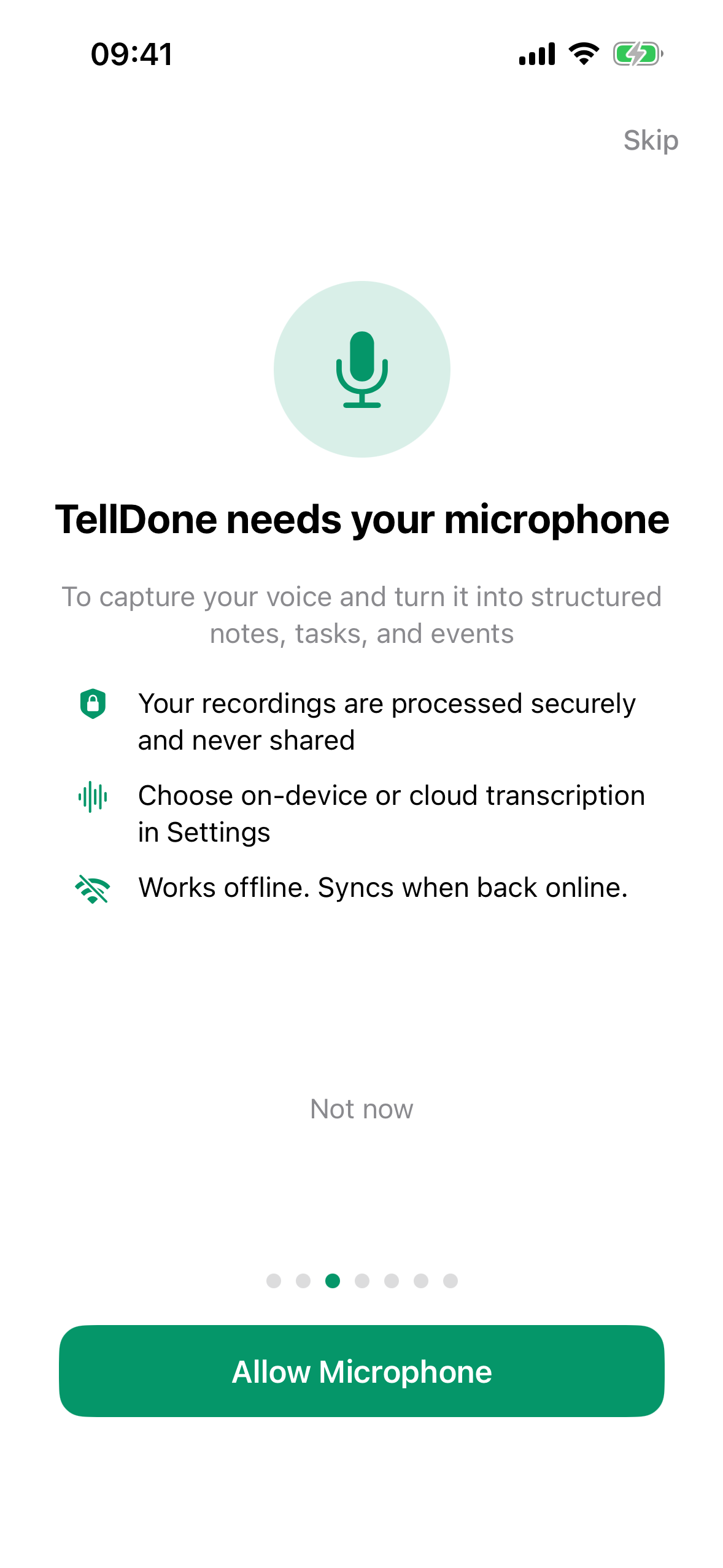
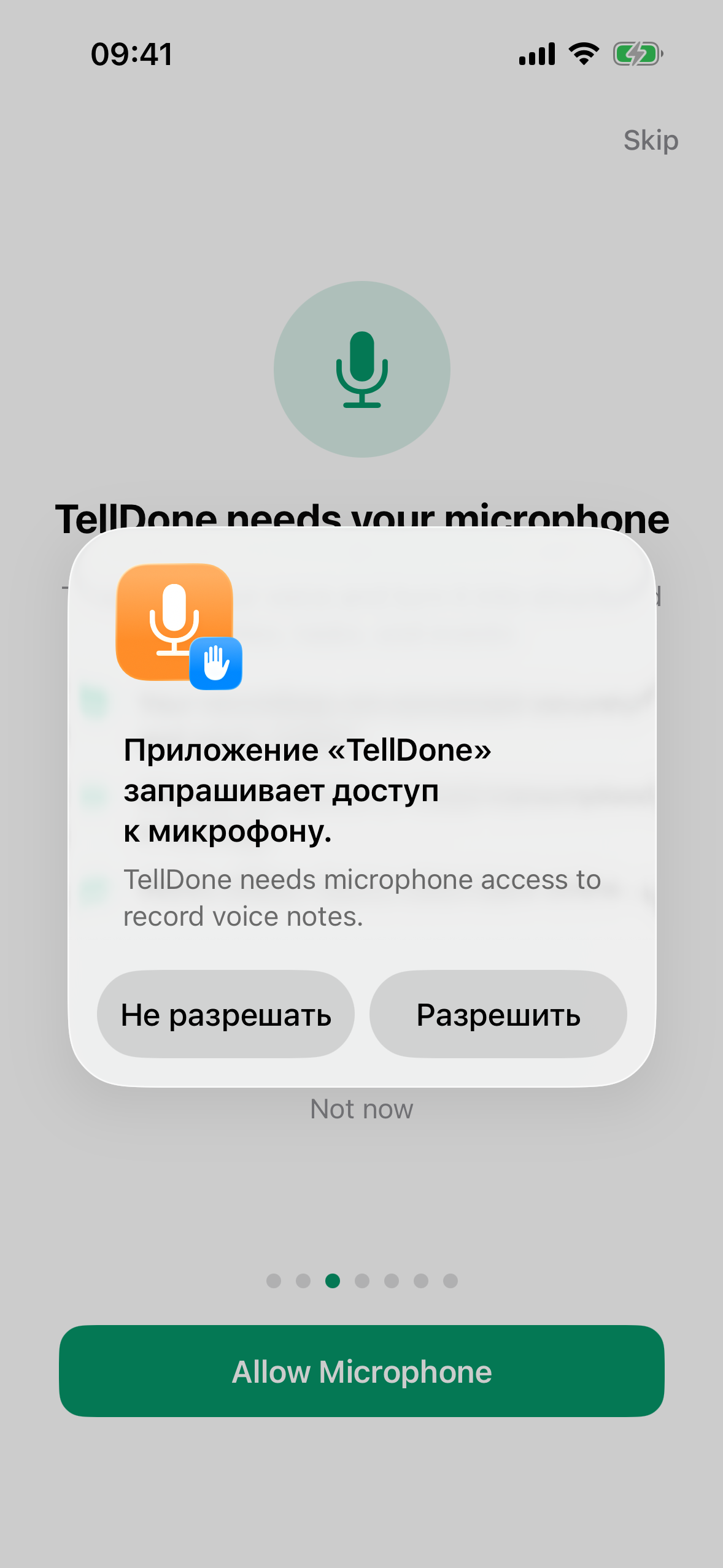
- Microphone access - TellDone needs the microphone to record. Tap Grant Mic Access and allow the system prompt.
- Notifications - allow notifications so you get report alerts and task reminders. You can skip this and decide later.
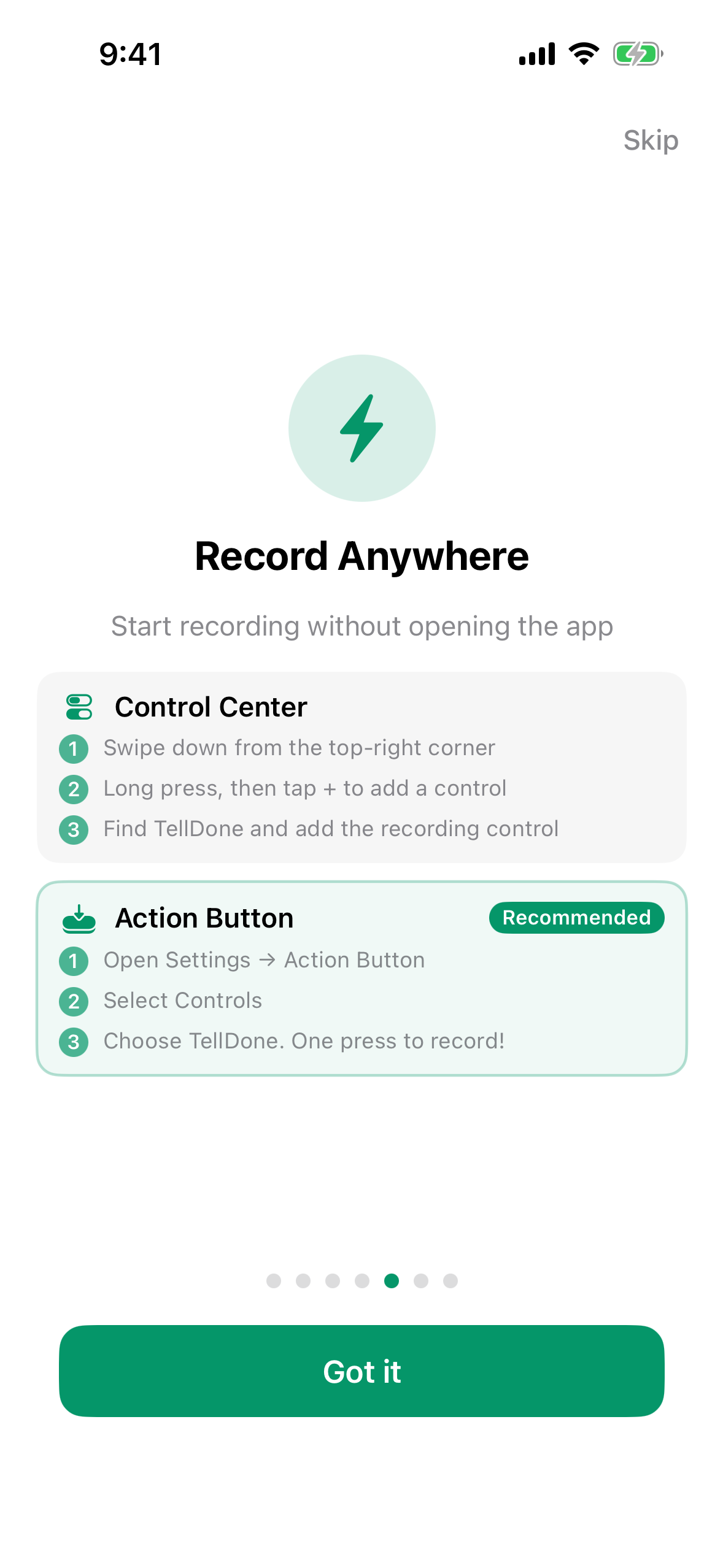
- Quick access - a quick look at the Control Center widget and Action Button for recording without opening the app.
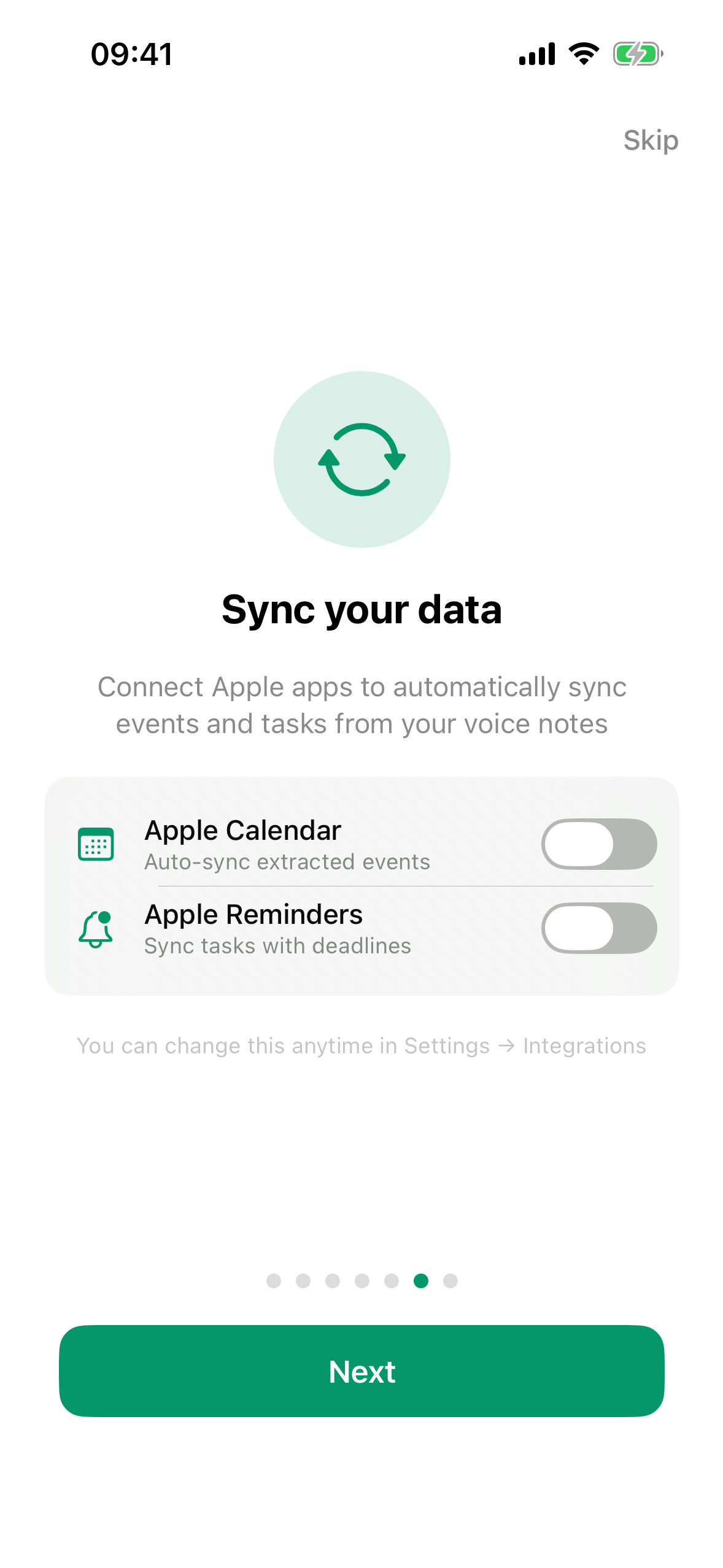
- Connect your calendar and reminders - one-tap connect for Apple Calendar and Apple Reminders so events and tasks flow out of TellDone right away.
- First recording - a pulsing red microphone button invites you to record your first note.
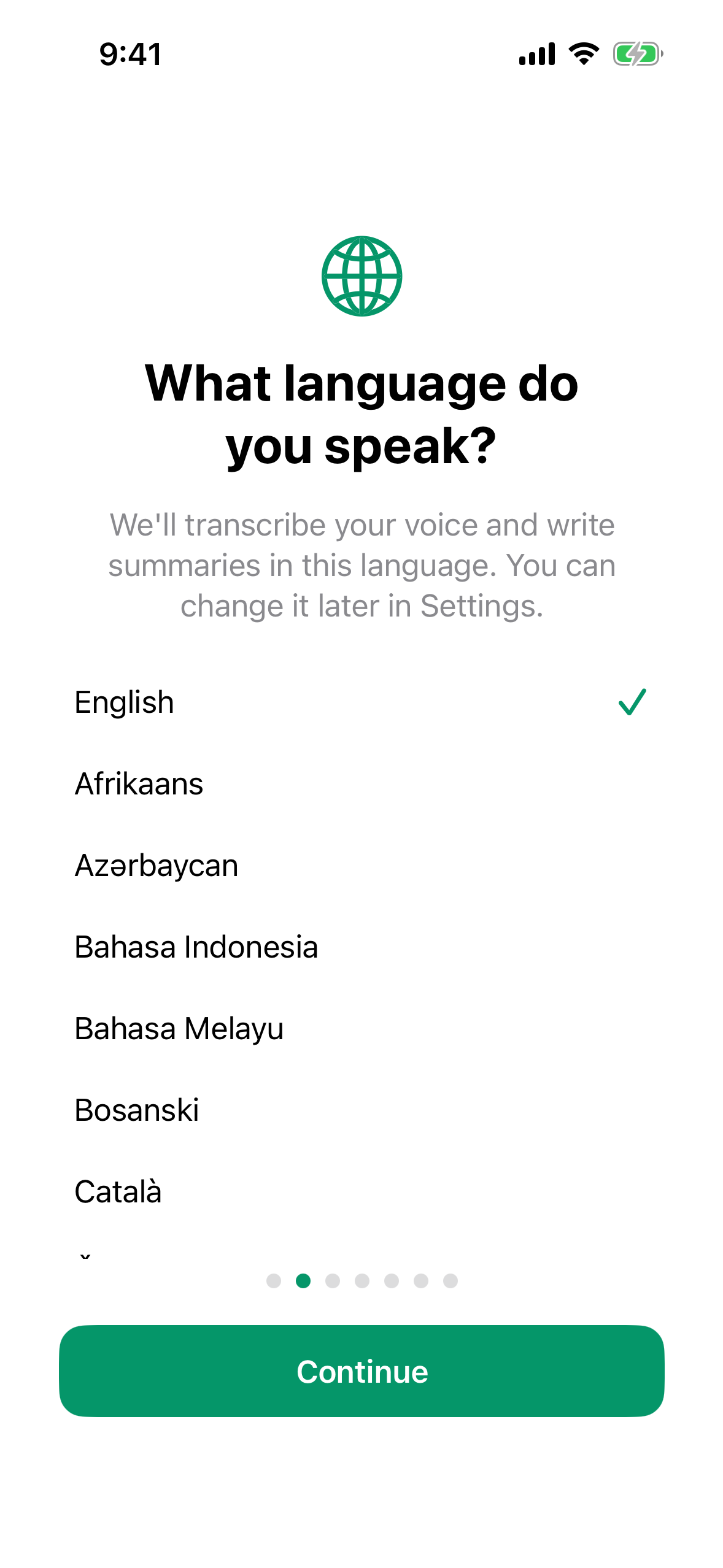
The transcription language determines how accurately TellDone understands your voice. You can always change it later in Settings.
TellDone has two independent language settings: the interface language (buttons, menus) and the transcription language (how AI processes your voice and writes reports). You can use English menus while getting reports in Spanish if you speak Spanish. Learn more in Appearance and language.
First-time hints
After onboarding, TellDone shows you five spotlight hints as you explore the app:
- Microphone button - "Tap to start recording. Tap again to stop."
- Text note button - "Type a text note - AI processes it like voice."
- Settings gear - "Set your transcription language here - the most important setting."
- Filter chips (on Notes, Tasks, Events tabs) - "Filter by type and tags."
- Floating record button (on any non-Record tab) - "Record from any tab."
You can dismiss hints one by one or tap Skip all tips to hide them all. To see them again, go to Settings and scroll to the Help & Support section, then tap Replay Tour.
When you record your first voice note, TellDone automatically activates a 7-day Pro trial on your account - no credit card required. You get the full Pro experience right away: all reports, integrations, note forwarding, and more. After the trial ends you can keep using TellDone on the Free plan or upgrade to continue with Pro features.
Forgot your password?
- On the login screen, tap Forgot password?
- Enter your email address
- Check your email for a reset link
- Follow the link to set a new password
What's next?
Your account is ready. Time to make your first voice note!